Marble
Welcome to Marble! Generate and explore immersive 3D worlds with powerful, user-friendly tools designed for artists and creators.
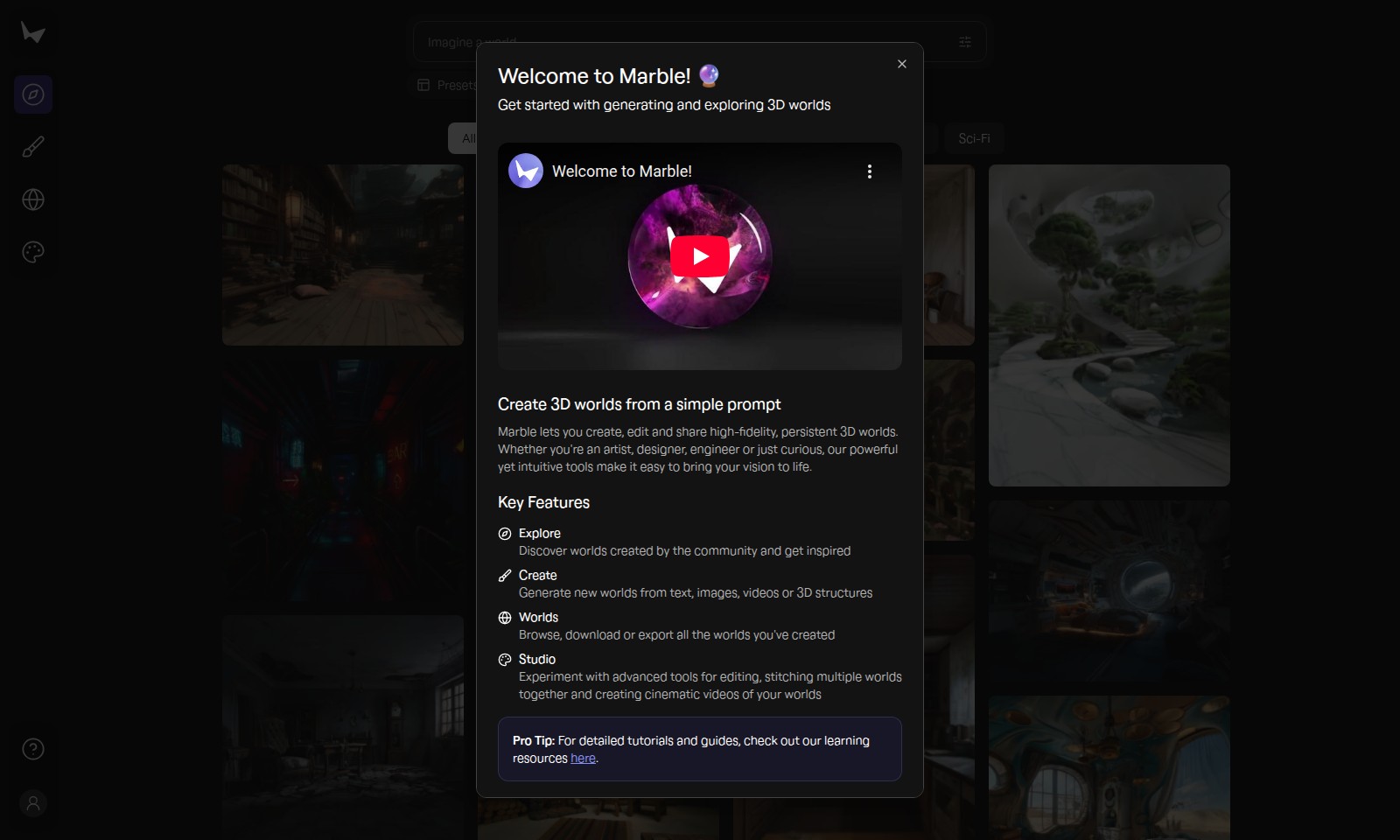
Marble Introduction
Transform Your Creative Vision into Reality
Marble is where imagination meets technology, empowering you to effortlessly create, edit, and share immersive 3D worlds. With an easy-to-use interface, the platform caters to artists, designers, engineers, and enthusiasts alike, providing a space where creativity flourishes and groundbreaking ideas come to life.
Marble Features
Presets - Streamlined Creativity
Unlock rapid world-building with our diverse set of presets. These customizable templates enable users to build intricate environments with just a few clicks, saving time and effort for creators.
Roll for Marbles - Engaging Interactivity
Invoke playful exploration through the 'Roll for Marbles' feature, designed to enhance user engagement. This feature prompts users to discover hidden elements within their 3D worlds, adding layers of fun and depth to the experience.
All 3D Worlds - Universal Compatibility
Experience the freedom to create across various genres, including stylized, realism, interior, exterior, fantasy, and sci-fi. Our platform supports a broad spectrum of artistic expressions, catering to diverse audience needs and preferences.
Chic Styles - Modeled Artistry
Dive into specialized styles that offer artistic flair to your 3D projects. From modern interiors to vibrant sci-fi landscapes, users can craft visually stunning representations that resonate with their desired themes.
Robust User Community - Collaborative Growth
Join a thriving community of creators like junming, avaer, and hamada880725, where sharing and collaboration enhance creative processes. Engage in exchanges that inspire innovation and elevate your artistic endeavors.
Frequently Asked Questions About Marble
Frequently Asked Questions about Marble's 3D Worlds
Q1: How can I start creating my own 3D world?
To create your own 3D world in Marble, simply visit the homepage and use the prompt input feature. You can enter descriptive texts that outline your vision for the world you want to create, and Marble will generate it automatically.
Q2: Can I edit the 3D worlds after I've created them?
Yes, you can edit your 3D worlds at any time. Marble provides a user-friendly editing interface that allows you to modify elements, add new features, or even completely redesign your terrain based on your evolving ideas.
Q3: Is there a limit to the types of worlds I can create?
No, there are no strict limits to the types of worlds you can create. Whether you envision a stylized environment, a realistic setting, or a fantasy world bursting with colors, Marble accommodates a wide range of creative expressions.
Q4: Can I share my creations with others?
Absolutely! Marble encourages sharing. Once your 3D world is created, you can easily share it with your friends or the Marble community, allowing others to explore your vision and provide feedback.
Q5: What are some examples of presets I can use?
Marble offers a plethora of presets to help kickstart your creativity. From realistic interiors to sci-fi landscapes, you can choose presets like ‘Roll for marbles,’ ‘Fantasy,’ or ‘Exterior’ to build upon your initial ideas efficiently.
Q6: How user-friendly is Marble for beginners?
Marble is designed to be accessible for users of all levels, including beginners. The intuitive interface and step-by-step guides help you understand the basics, making world creation a fun and engaging experience for everyone.
How to Use Marble
Step 1: Register an Account
To start using Marble, click on the 'Sign Up' button on the homepage. Fill in the required information such as your email and create a password. Confirm your registration via the email sent to you.
Step 2: Set up your Profile
Once logged in, navigate to your profile settings. Upload a profile picture and fill in your personal details to personalize your experience. This step helps other users identify you in the community.
Step 3: Explore the Dashboard
Take a moment to explore the dashboard. Familiarize yourself with the layout where you'll find all key features like 'Create a 3D World' and 'Explore Worlds'. This will be your central hub for all activities on Marble.
Step 4: Create a New 3D World
To create a new 3D world, click on the 'Create' button. Enter a prompt describing what you want your world to represent. Use specific keywords like 'Stylized', 'Realism', or 'Fantasy' to guide the creation process.
Step 5: Customize Your World
After your world is generated, you can start customizing. Use the editing tools to add elements like buildings, landscapes, or characters. Drag-and-drop features make it easy to manipulate your design.
Step 6: Save and Share Your World
Once you're satisfied with your creation, save your work. You can also share your 3D world with the Marble community. Click on the 'Share' button and choose your sharing preferences.
Step 7: Explore Community Creations
Visit the 'Explore' section to discover worlds created by other users. Use filters like 'Interior', 'Exterior', or 'Sci-Fi' to narrow down your search. This is a great way to gather inspiration and ideas.
Step 8: Provide Feedback
Engage with other users by providing feedback on their worlds. This can be done directly from the 'Explore' section. Constructive comments help foster a friendly community.
Step 9: Continue Learning
Take advantage of tutorials and community forums available on the platform. These resources can help you master advanced features and enhance your creation skills. Stay updated with new tools and updates from Marble.
Reviews
Pros
- Easy to use
- Fast processing
- Great results
- Affordable pricing
Cons
- Limited free version
- Requires internet connection
Comments
No comments yet. Be the first to share your thoughts!
Marble - Alternative Platforms
For some alternatives to Marble that you may need, we provide you with sites divided by features.

AI World Generator allows users to build and navigate interactive 3D environments in real-time, utilizing natural language input and offering persistent world memory.
Revolutionize your design projects with AI Two's powerful design tools for homeowners, designers, and architects, enabling efficient and creative remodeling.
Arcadium is an online platform for designing 3D house plans, offering intuitive features, collaborative tools, and AI-generated visualizations.
Artbreeder is an AI-driven platform for creating and sharing unique art and characters, featuring collaborative tools and a vibrant user community.