Pixlr
Explore Pixlr's AI-driven photo editing tools for users of all levels, offering features for editing, design, and image generation.
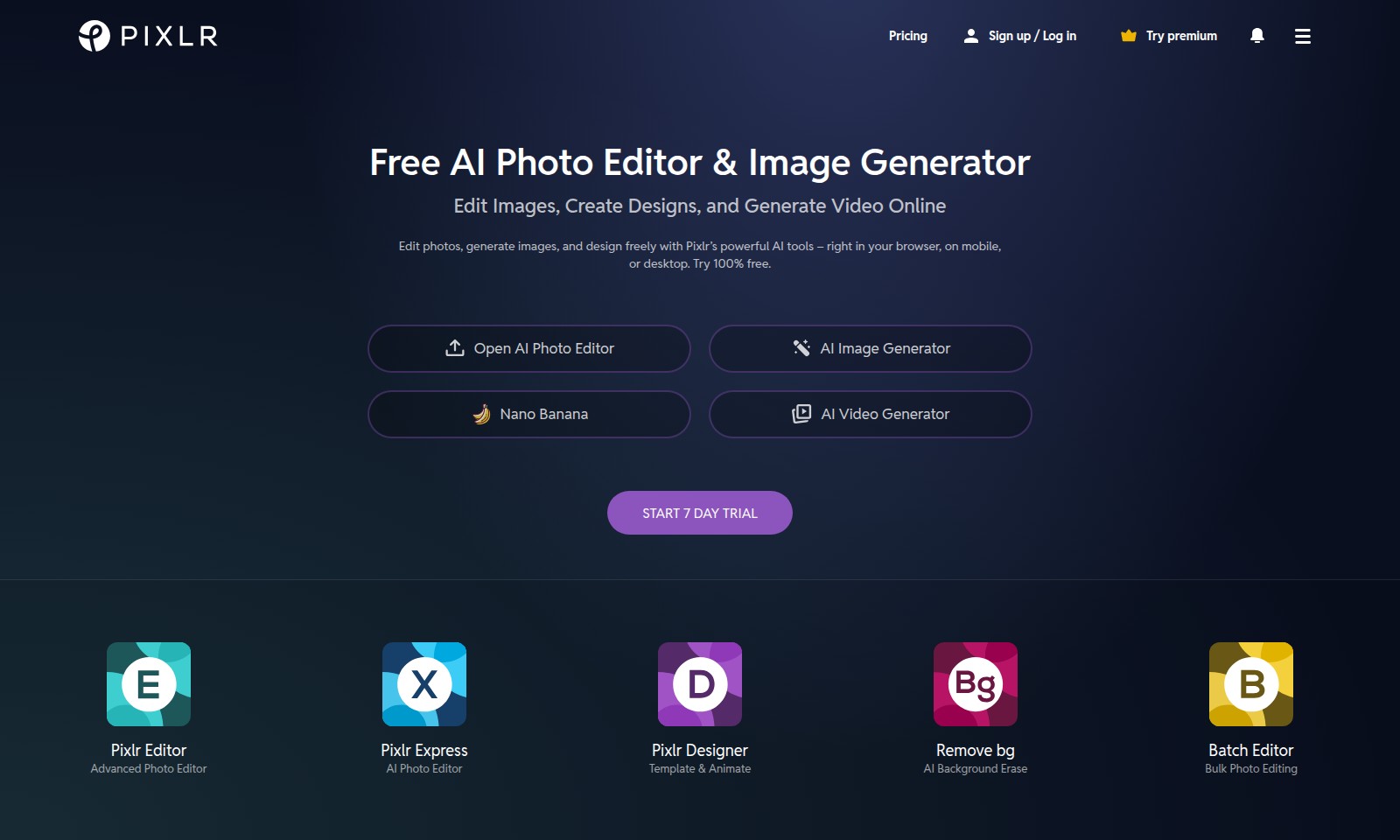
Pixlr Introduction
Experience Limitless Creativity with Pixlr's AI Tools
Discover a powerful suite of AI-driven tools designed for all your photo editing and design needs. Pixlr offers a unique platform where you can edit images, create stunning designs, and generate captivating videos, all from the comfort of your browser—whether you're on mobile or desktop. With our intuitive interface and robust features, unleash your creativity and dive into a world of limitless artistic possibilities.
Pixlr Features
AI Image Generator - Instant Creativity
Unleash your imagination with our powerful AI Image Generator. Effortlessly create stunning visuals in seconds, tailored to your specific needs. With advanced algorithms, the AI generator can produce high-resolution images that suit various themes and aesthetics, perfect for marketers and entrepreneurs looking to generate engaging content quickly.
AI Background Eraser - Seamless Editing
Remove backgrounds from your images with precision and ease. Save time on your editing projects and focus on what truly matters. Utilizing machine learning techniques, our AI background eraser ensures accurate selections, allowing users to produce clean cutouts for professional presentations or marketing materials.
Photo Collage Maker - Effortless Design
Craft beautiful collages in minutes without any design expertise. Combine your favorite moments into one stunning visual effortlessly. This feature offers a variety of customizable templates and layouts, making it ideal for social media influencers and content creators who want to elevate their visual storytelling.
Batch Editor - Time-Saving Efficiency
Edit multiple images simultaneously to streamline your workflow and maximize productivity. Perfect for photographers and businesses handling large volumes of images. Our batch processing capabilities allow for quick adjustments to exposure, color balance, and more, ensuring consistent quality across all your visuals, saving you hours of editing time.
Video Generator - Creative Video Production
Transform your images into captivating videos seamlessly. Engage your audience with dynamic visuals created in just a few clicks. Leveraging the latest in AI advancements, our video generator allows for smooth transitions and effects that cater to all video lengths, making it a valuable tool for marketers and anyone looking to create video content quickly.
Frequently Asked Questions About Pixlr
FAQs
1. What features are included with the free AI photo editor? Pixlr’s free AI Photo Editor includes a range of features such as image editing, AI background removal, and basic design tools. You can edit photos directly in your browser without the need for downloads.
2. How does the 7-day trial for premium features work? The 7-day trial allows you to explore all premium features of Pixlr without any charges. You can access advanced photo editing tools and enhanced AI functionalities during this period.
3. Can I access Pixlr on mobile devices? Yes, Pixlr is compatible with mobile devices. You can edit images, generate designs, and use AI features seamlessly on your smartphone or tablet.
4. What types of AI tools does Pixlr offer? Pixlr offers various AI tools including the AI Image Generator, AI Face Swap, and AI Background Eraser. These tools enable users to create and edit images with simple clicks, making photo editing more accessible for everyone.
5. Is it possible to perform bulk editing with Pixlr? Absolutely! Pixlr provides a Batch Editor feature that allows users to perform bulk photo editing efficiently. This is particularly useful for users who need to edit multiple images at once.
6. How can I use the design templates available in Pixlr? You can access a variety of design templates directly within the Pixlr platform. Simply select a template that fits your needs, and customize it with your own images and text to create unique designs quickly.
How to Use Pixlr
Step 1: Sign Up or Log In
To start using Pixlr, visit the website and click on the 'Sign Up' or 'Log In' button.
Fill in your details or use social media accounts for quick registration. Once you're registered, you can access all features of Pixlr.
Step 2: Explore the Interface
After logging in, take a moment to familiarize yourself with the user interface.
Navigate through the different sections and tools available, such as the AI Photo Editor and AI Image Generator.
Step 3: Set Up Your Profile
Access your account settings to personalize your profile.
Add a profile picture and update other relevant information to enhance your user experience.
Step 4: Start Editing Photos
Choose the 'Open AI Photo Editor' option to begin editing.
Upload an image from your device or select one from another source to start enhancing your photos.
Step 5: Make Use of AI Tools
Use Pixlr's AI tools such as 'AI Remove Background' or 'AI Generative Fill' to easily edit your images.
These tools simplify complex tasks, making it easy for beginners to achieve professional results.
Step 6: Create Stunning Designs
Explore the 'Pixlr Designer' feature for creating eye-catching designs.
Utilize templates and customize them to fit your creative vision without needing graphic design skills.
Step 7: Generate Images and Videos
Try out the 'AI Image Generator' and 'AI Video Generator' tools to create unique visuals and animations.
Input your preferences and watch as Pixlr generates amazing content for you.
Step 8: Save and Share Your Work
Once you're satisfied with your edits or designs, click on the 'Save' button.
You can download your creations directly or share them on social media platforms.
Reviews
Pros
- Easy to use
- Fast processing
- Great results
- Affordable pricing
Cons
- Limited free version
- Requires internet connection
Comments
No comments yet. Be the first to share your thoughts!
Pixlr - Alternative Platforms
For some alternatives to Pixlr that you may need, we provide you with sites divided by features.

Your all-in-one AI platform for image and video creation, featuring tools for upscaling, editing, and generating visuals across multiple styles.
AIEASE features powerful AI tools for efficient and professional image editing, including background removal and quality enhancement.
Our AI Photo Enhancer offers powerful tools to restore and enhance your photos, ensuring high resolution and vibrant colors with easy-to-use features.
Luminar Neo bietet fortschrittliche Bearbeitungsfunktionen und KI-gestützte Tools für kreative Fotobearbeitung auf Mac und Windows.