WA Export
Effortlessly export WhatsApp contacts and group members with WAExport, ensuring clean data and detailed insights for effective marketing.
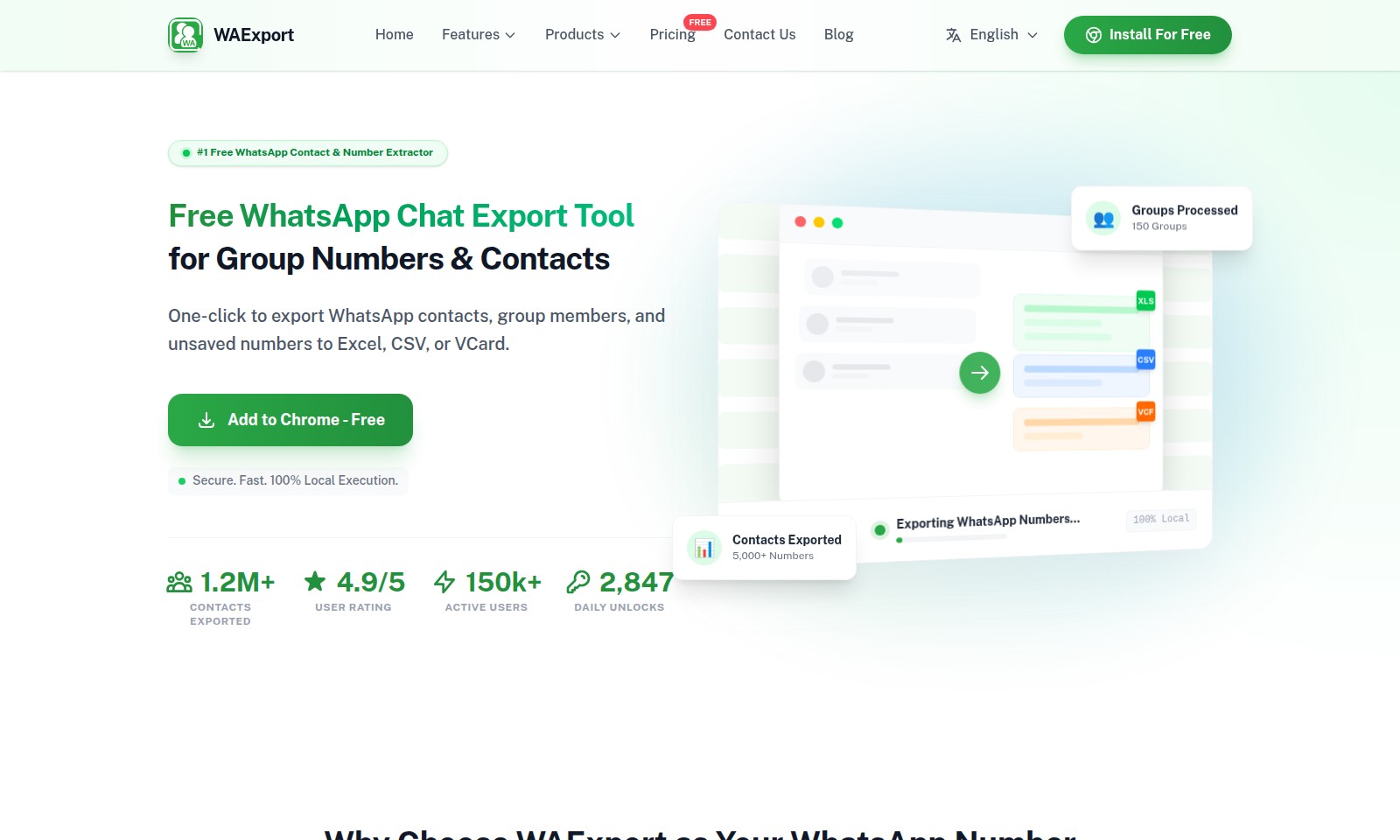
WA Export Introduction
Unlock the Power of WhatsApp with WAExport
WAExport is your go-to solution for efficiently extracting WhatsApp contacts and group numbers. With our user-friendly tool, you can seamlessly export contacts and group members to various formats such as Excel, CSV, or VCard with a single click. Whether you are a marketer seeking new leads or a business professional needing to manage your contacts effectively, WAExport provides a fast, secure, and local execution environment ensuring your data remains protected.
WA Export Features
One-click Export
Experience the convenience of our one-click export feature, allowing you to effortlessly transfer WhatsApp contacts, group members, and unsaved numbers to Excel, CSV, or VCard formats. This user-friendly tool streamlines the process of data extraction, making it ideal for marketers and sales professionals looking to harness the potential of WhatsApp communication.
Secure and Local Execution
WAExport ensures the security and integrity of your data with 100% local execution. This means all extractions are performed directly on your device, minimizing the risk of data breaches associated with cloud processing.
Filtered Group Data
Our tool features an advanced filtering option, letting you exclude group administrators from your exported lists. This ensures that your contact lists remain relevant and focused on potential leads, saving you valuable time in your marketing efforts.
Batch Processing Capability
With WAExport, you can select multiple groups at once to extract WhatsApp phone numbers. This bulk processing capability significantly reduces the time spent on data extraction, making it perfect for campaign managers who need swift access to large datasets.
Proven User Satisfaction
Join the ranks of over 150k active users who have given WAExport an impressive 4.9/5 user rating. Our commitment to user-friendly design and effective results provides confidence and reassurance in your data extraction tasks.
Versatile File Formats
Exported data is versatile, with support for XLS, CSV, and VCF formats. This ensures seamless integration with your existing systems, enabling easier management and analysis of contacts.
Daily Unlocks
With over 2,847 daily unlocks, WAExport demonstrates its reliability and usefulness for those frequently needing to access and organize WhatsApp contacts. Whether for personal or business use, our tool is crafted to meet growing demands for effective communication management.
Frequently Asked Questions About WA Export
FAQ
1. How can I export WhatsApp numbers using WAExport?
To export WhatsApp numbers, simply install the WAExport tool for free. With just one click, you can export contacts, group members, and unsaved numbers into Excel, CSV, or VCard formats easily.
2. Is WAExport secure to use?
Yes, WAExport is designed with security in mind. The exporting process happens 100% locally on your device, ensuring that your data remains safe and confidential without being stored on external servers.
3. Can I filter out group admins when exporting?
Absolutely! WAExport provides an option to exclude group administrators from your exported list, allowing you to keep your contact list clean and focused on non-admin members only.
4. What formats can I export my WhatsApp contacts to?
You can export your WhatsApp contacts in various formats including Excel (.XLS), CSV, and VCard (.VCF), providing flexibility depending on your needs and preferences.
5. Is there a limit to the number of contacts I can export?
WAExport allows you to export a significant number of contacts. Currently, more than 5,000 numbers can be processed, making it an excellent tool for bulk exports from WhatsApp groups.
6. How many users actively use WAExport?
WAExport has over 150,000 active users, reflecting its popularity and trust among individuals needing to extract WhatsApp contacts efficiently.
How to Use WA Export
Step 1: Register an Account
Go to the WAExport website and click on the 'Install For Free' button. Fill in the required details for creating your account, including your email and password.
Step 2: Verify Your Email
Check your inbox for a verification email from WAExport. Click on the verification link to confirm your account and complete the sign-up process.
Step 3: Install the Chrome Extension
After verifying your email, return to the WAExport website and click on the 'Add to Chrome - Free' button. Follow the prompts to install the extension in your Chrome browser.
Step 4: Launch the Extension
Once installed, click on the WAExport icon in the Chrome toolbar. Log in using the account you created in Step 1 to access the tool's features.
Step 5: Set up Your Profile
Within the extension interface, navigate to your profile settings. Here, you can update your preferences and ensure your extraction settings meet your requirements.
Step 6: Choose Your Target Groups
To extract WhatsApp contacts, select the groups from which you want to gather data. You can filter out group administrators to keep your list focused on regular members.
Step 7: Start the Extraction
Initiate the extraction process by clicking the appropriate button. WAExport will efficiently export WhatsApp contacts to your chosen format (Excel, CSV, or VCard).
Step 8: Access Your Data
After extraction, you will be prompted to download your file. Save it to your device and check it to ensure all desired contacts have been converted successfully.
Step 9: Utilize Your Data
Utilize the exported data for your purposes, whether it be marketing, outreach, or community building. WAExport gives you the capability to analyze and manage extracted contacts effectively.
Step 10: Feedback and Support
If you encounter issues or have suggestions, navigate to the 'Contact Us' section on the website. The WAExport team is ready to assist you with any queries you may have.
Reviews
Pros
- Easy to use
- Fast processing
- Great results
- Affordable pricing
Cons
- Limited free version
- Requires internet connection
Comments
No comments yet. Be the first to share your thoughts!
WA Export - Alternative Platforms
For some alternatives to WA Export that you may need, we provide you with sites divided by features.

Dart offers innovative AI features for intelligent task management, customizable workspaces, and effective project planning to boost team efficiency.
Explore guest mode benefits, including chat saving and optimized responses through a quick sign-up.
Beam AI is an AI-driven software for accurate takeoff and estimating, helping contractors automate processes and improve bid efficiency.
Discover Clawdbot, a self-hosted AI assistant that manages tasks and integrates with various messaging platforms, with full control over your data.