Card Scanner
Transform your physical business cards into digital contacts effortlessly with our secure online business card scanner. Suitable for professionals and easy to use.
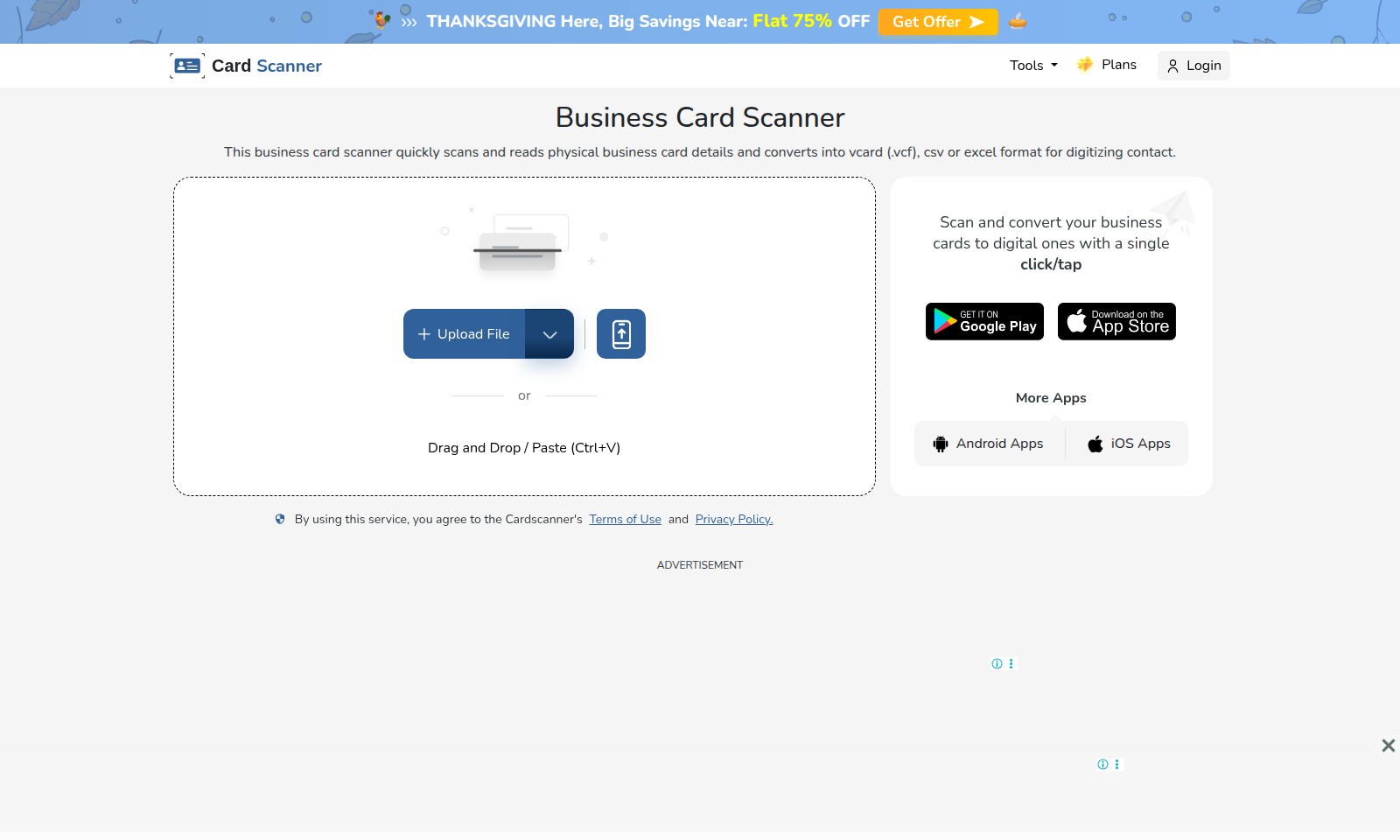
Card Scanner Introduction
Powerful Business Card Digitization Tool
Effortlessly convert your physical business cards into digital format with our advanced business card scanner. This intelligent tool utilizes AI-based Optical Character Recognition (OCR) technology to accurately capture contact information from business cards, ensuring that your networking efforts are streamlined and efficient.
Card Scanner Features
Business Card Scanner - Instant Digitization
Experience seamless scanning of your business cards with just a single click. Our tool digitizes contact information quickly and accurately. Utilizing advanced AI-based Optical Character Recognition (OCR) technology, our scanner extracts key details such as names, email addresses, phone numbers, job titles, company names, and addresses from physical cards, ensuring efficiency and precision in your networking.
File Format Conversion - Versatile Output Options
Convert your scanned contacts into multiple formats. Whether you need .vcf, .csv, or Excel files, our service has got you covered. This flexibility allows users to select their preferred format for easy integration with various CRM systems, saving time during data management tasks.
User-Friendly Interface - Ease of Use
Navigate our platform effortlessly with a user-centric design. Regardless of your technical expertise, scanning and managing business contacts is straightforward. The intuitive drag-and-drop functionality lets users upload files directly, enhancing the overall user experience and making contact management more accessible.
Secure Data Handling - Privacy Focused
We prioritize your privacy and data security. All information scanned is treated with the utmost care and is protected under strict privacy policies. By adhering to industry-standard guidelines, we ensure that your contact data remains confidential and secure from unauthorized access.
Mobile Compatibility - Scan on the Go
Take your networking to the next level with our mobile app availability. Designed for both Android and iOS, our scanner allows you to manage business cards from anywhere. This feature is perfect for busy professionals who often find themselves on the move, ensuring that you never miss an opportunity to connect.
Quick Batch Scanning - Optimize Efficiency
Our scanner supports batch scanning, allowing users to digitize multiple business cards at once. This feature is particularly beneficial for those attending events or conferences. With the capability to process several cards simultaneously, you can save significant time and energy while expanding your network.
Comprehensive Contact Management - All-in-One Solution
Manage your scanned contacts efficiently within our platform, providing a centralized location for all your networking needs. This built-in management system allows users to categorize, edit, and organize their contacts easily, enhancing productivity and ensuring that important details are not overlooked.
Frequently Asked Questions About Card Scanner
What is a Business Card Scanner?
A business card scanner is an online tool that reads and digitizes the information from physical business cards. It converts card details into digital formats such as vCard, CSV, or Excel, making it easy to store and manage your contacts.
How does the scanning process work?
The scanning process utilizes AI-based Optical Character Recognition (OCR) technology to automatically extract essential data from business cards, including names, phone numbers, email addresses, and company information. This allows for quick and accurate digitization of contact details.
Can I upload a picture of my business card?
Yes, you can upload a picture of your business card for scanning. Simply drag and drop the file or use the upload button to convert it into a digital format. The process is user-friendly and efficient, allowing you to retrieve your contacts in no time.
What formats can the scanned information be saved in?
The scanned information can be saved in various formats, including vCard (.vcf), CSV, or Excel. This flexibility ensures that you can easily integrate your digitized contacts with your preferred applications and software.
Are there any costs associated with using the service?
Currently, there is a promotional offer providing a flat 75% discount on our services for Thanksgiving. Make sure to check for any additional fees that may apply depending on the specifics of your plan or usage.
Is my data safe when using the business card scanner?
Absolutely. By using our service, you agree to our Terms of Use and Privacy Policy, which guarantee that your data will be protected and handled with the utmost care. We prioritize user privacy and data security above all.
How to Use Card Scanner
Register Your Account
Begin by visiting our website and locating the 'Sign Up' button. Fill in the required details like your name, email address, and create a strong password to secure your account.
Confirm Your Email
After registration, check your inbox for a confirmation email. Click the link provided in the email to verify your account and gain access to all features.
Set Up Your Profile
Log in to your new account and navigate to the profile settings. Here, you can add additional details such as your profile picture, job title, and company information to personalize your experience.
Explore the Dashboard
Once your profile is set up, take a moment to explore the dashboard. Familiarize yourself with the layout and where the key features are located, such as the business card scanner tool, which is prominently displayed.
Start Scanning Business Cards
To convert your physical business cards into digital format, use the card scanner tool. Simply upload an image of the card, or drag and drop the files into the designated area. You can also paste card details directly if needed.
Review Scanned Information
After scanning, review the extracted contact details for accuracy. Ensure that names, phone numbers, and email addresses are correctly captured. This step is crucial for maintaining an organized contact database.
Save Your Contacts
Once you are satisfied with the scanned data, save your contacts in your preferred format. Options include exporting to vCard (.vcf), CSV, or Excel. Choose the format that best fits your needs for managing contacts.
Accessing More Features
As you continue using the service, explore additional tools offered, such as mobile applications for Android and iOS. These can provide flexibility for scanning on the go, ensuring you never miss a networking opportunity.
Learn About Additional Offers
Stay updated with seasonal offers and promotions like our Thanksgiving Sale, where you can enjoy flat 75% off on premium features. Visit the website's promotional section for more details.
Reviews
Pros
- Easy to use
- Fast processing
- Great results
- Affordable pricing
Cons
- Limited free version
- Requires internet connection
Comments
No comments yet. Be the first to share your thoughts!
Card Scanner - Alternative Platforms
For some alternatives to Card Scanner that you may need, we provide you with sites divided by features.

Raily combines AI matchmaking with travel and social experiences, featuring innovative gamification and charity programs to enhance user engagement.
Frigate offers a privacy-focused home automation solution with real-time AI object detection for security cameras, reducing false positives and integrating seamlessly with Home Assistant.
Explore Gemini 3 Pro's AI features for enhanced reasoning, multimodal processing, and industry-specific applications to boost productivity.
Roboflow offers tools for creating datasets, training models, and deploying computer vision solutions quickly and efficiently.