Missive
Missive is a collaboration tool designed for teams using email, offering features like shared inboxes, task management, and integrations for workflow optimization.
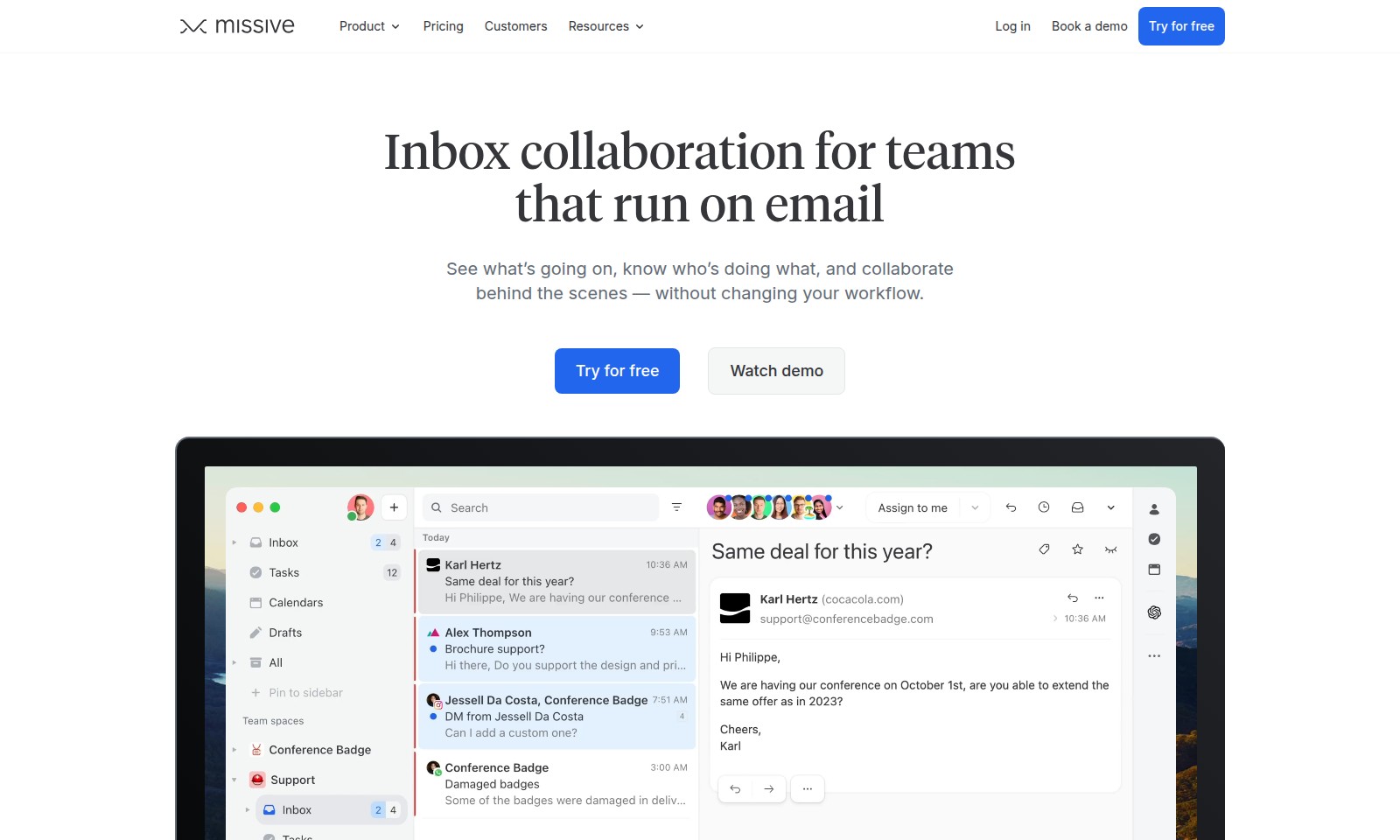
Missive Introduction
Inbox Collaboration for Teams that Run on Email
Experience seamless communication and collaboration within your team through the Missive platform. Designed to enhance productivity without altering your existing workflows, Missive allows you to manage email in a way that fosters teamwork and clarity. With our shared inboxes and collaborative features, your team can easily stay on top of projects, ensuring that everyone knows what needs to be done and who is handling which tasks.
Missive Features
Inbox Collaboration - Empower Your Team's Communication
Transform your email interactions into a collaborative workspace. By integrating discussions directly within emails, you can enhance team communication while streamlining workflows.
Focused Team Spaces - Ensure Clear Coordination
Create dedicated team environments with shared inboxes and tasks, allowing each group to concentrate on their relevant work without distractions from other departments.
Internal Statuses - Optimize Visibility
Utilize internal status indicators to maintain visibility across teams while keeping action-focused participants in check. This feature ensures that the right people are informed without overwhelming everyone with unnecessary details.
Task Management from Emails - Simplify Operations
Easily convert any email into a task, providing a clear overview of who is working on what at any given time. This not only promotes accountability but also enhances productivity by facilitating easier tracking of responsibilities.
Capacity Insights - Balance Team Workloads
With insights into team workloads, you can efficiently redistribute tasks as needed. Understand who has available capacity and who is overloaded, ensuring optimal resource allocation and preventing burnout.
Take Control with Missive - Revolutionize Team Workflows
Missive transforms the traditional approach to email management by incorporating collaboration features that keep your team engaged and aligned, ultimately leading to better outcomes in your projects.
Frequently Asked Questions About Missive
FAQ about Missive
1. What is Missive and how does it help teams collaborate?
Missive is a collaborative email tool designed for teams that use email as a primary form of communication. It allows multiple users to discuss specific emails and manage their inboxes together, streamlining communication and improving team efficiency.
2. How does Missive's shared inbox feature work?
The shared inbox feature allows teams to have a collective view of incoming emails. Members can assign tasks from emails, comment on them, and collaborate without forwarding messages or leaving the application, making it seamless for teams to work together.
3. Can I see my team’s workload with Missive?
Yes, Missive provides a feature that allows you to monitor team members’ capacities. You can easily see who is overloaded and who has availability, enabling better task distribution and management of resources within the team.
4. Is there a way to keep certain information private within Missive?
Absolutely! Missive includes internal statuses that keep sensitive information visible only to those who need to know. This ensures relevant team members have access to necessary details without exposing everything to all users.
5. How can I try Missive for free?
You can start using Missive by signing up for a free trial on our website. This allows you to explore all its features and see how it can enhance your team's collaboration for a limited time.
6. What kind of companies use Missive?
Over 4500 companies rely on Missive for their daily communication and collaboration needs. From small businesses to larger organizations, our tool is designed to support teams of various sizes and sectors.
How to Use Missive
Step 1: Register an Account
To begin your journey with our platform, visit the registration page. Fill out the required fields with your information and click 'Sign Up' to create your account.
Step 2: Verify Your Email
Check your inbox for a verification email. Click the link provided in the email to verify your account and activate your access to our services.
Step 3: Log In
Return to the website and log in using your registered email and password. Once logged in, you will be directed to your dashboard where you can access various features.
Step 4: Set Up Your Profile
After logging in, navigate to the 'Profile' section. Add relevant details such as your name, profile picture, and any other necessary information to personalize your account.
Step 5: Explore Team Spaces
Discover the 'Team' section to create or join team spaces. This will allow you to collaborate with your colleagues effectively within dedicated areas.
Step 6: Familiarize Yourself with the Dashboard
Take a moment to explore your dashboard. Familiarize yourself with the layout, including where to find your inbox, tasks, and team activities.
Step 7: Create Your First Task
To utilize the task management features, select any email and convert it into a task. Make sure to assign due dates and add any necessary team members for collaboration.
Step 8: Communicate with Your Team
Utilize the discussion feature in your team spaces to communicate directly about specific emails or tasks. This will help clarify responsibilities and enhance your workflow.
Step 9: Manage Your Inbox
Make use of the shared inbox feature. Keep track of emails, prioritize them according to urgency, and ensure everyone is aligned on ongoing communications.
Step 10: Monitor Team Progress
Regularly check the team activity section to see who is handling what tasks. This transparency will help you manage workloads and ensure efficient collaboration.
Reviews
Pros
- Easy to use
- Fast processing
- Great results
- Affordable pricing
Cons
- Limited free version
- Requires internet connection
Comments
No comments yet. Be the first to share your thoughts!
Missive - Alternative Platforms
For some alternatives to Missive that you may need, we provide you with sites divided by features.

BlueMail offers a cross-platform email solution with advanced features like AI-powered email summarization, unified inboxes, and integrated calendar functionalities.
Dimension is an AI tool that automates scheduling, organizes tasks, and optimizes workflows for teams and individuals to enhance productivity.
Discover how Read AI optimizes your meetings and communication through smart summarization and seamless tool integration.
Tidio Copilot is a free Chrome extension that automates responses for customer service teams, integrating with major platforms and enhancing productivity.