Radiant
Radiant is a powerful AI assistant that automates meeting notes and tasks, available for M1 Macs or later.
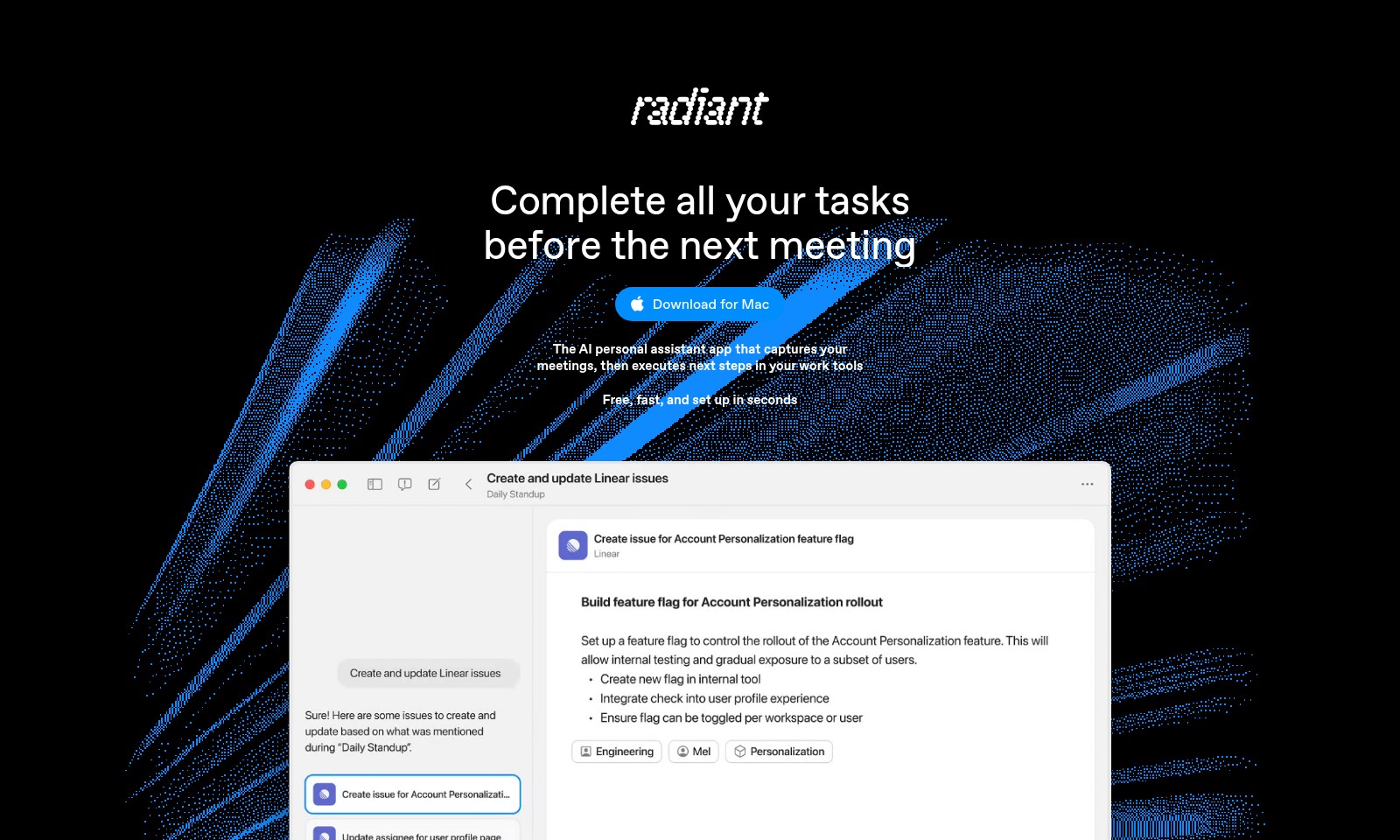
Radiant Introduction
Radiant: Your Essential AI Personal Assistant
Radiant is an AI personal assistant app designed to streamline your workflow by capturing your meetings and executing next steps seamlessly within your favorite work tools. This innovative application is tailored to help professionals complete all their tasks efficiently before the next meeting, ensuring you stay ahead in your busy schedule.
Radiant Features
Meet Radiant - Your AI Personal Assistant
Harness the power of Radiant to elevate your productivity. With its unmatched ability to capture your meetings and transform them into actionable next steps, Radiant ensures you complete all your tasks before the next meeting. Whether you're a product manager, engineer, or sales professional, Radiant is tailored to meet your needs in high-stakes environments.
Execute in Moments - Effortless Task Management
Say goodbye to time-consuming manual processes. Radiant executes tasks at lightning speed, suggesting next steps with minimal input required. This is a game-changer for busy professionals who demand efficiency.
A Silent Superpower - Seamless Integration
Radiant operates quietly in the background, allowing you to focus on your work without interruption. Its unobtrusive nature ensures you can carry on with your daily tasks without a hitch, making it a trusted ally in your professional toolkit.
Frequently Asked Questions About Radiant
FAQs
Q: What is Radiant and how can it help me?
A: Radiant is an AI personal assistant app designed to capture your meetings and manage tasks seamlessly. It helps you complete your tasks more efficiently by suggesting next steps and automating actions across your favorite work tools.
Q: How do I download Radiant for my Mac?
A: To download Radiant for your Mac, simply visit our website and click on the 'Download for Mac' button. The installation process is quick and easy, allowing you to set up the app in seconds.
Q: Does Radiant require any special setup?
A: No, Radiant is designed for simplicity. There’s no need for complex programming or prompts. Just install it, and it will work silently in the background to help you capture notes and execute tasks effortlessly.
Q: Can Radiant integrate with my existing tools?
A: Absolutely! Radiant connects with popular work tools to automatically draft documents, emails, tickets, and more. You can easily send updates and drafts without any additional effort.
Q: Is my data secure with Radiant?
A: Yes, we prioritize your privacy and security. Radiant ensures that all your data is handled securely in compliance with the latest data protection regulations. You can use the app confidently, knowing your information is safe.
Q: Who can benefit from using Radiant?
A: Radiant is ideal for anyone who wants to optimize their productivity—especially product managers, engineers, and sales teams—by automating time-consuming tasks and managing their workload more effectively.
How to Use Radiant
Register an Account
Visit our website and click on the 'Sign Up' button to create your account. Fill in the required information, including your name, email address, and password. Make sure to use a strong password for security.
Download the Application
Once registered, visit the download section and choose the 'Download for Mac' option. This will allow you to install the AI personal assistant app that captures meetings and executes tasks directly in your work tools.
Install the App
Open the downloaded file and follow the installation prompts. In just seconds, you'll have Radiant set up on your Mac. Ensure you grant necessary permissions for seamless functionality.
Set Up Your Profile
After installation, launch the app and complete your profile setup. Enter any additional information that can help Radiant understand your preferences and work style better.
Grant Access to Your Tools
To maximize the app’s capabilities, connect Radiant to your favorite work tools. This integration allows it to send updates and drafts without manual input, streamlining your workflow significantly.
Start Capturing Meetings
With everything set up, you can now start using Radiant during your meetings. It operates quietly in the background, ensuring nothing is missed while you focus on discussions.
Leverage Action Suggestions
Post-meeting, Radiant will automatically suggest next steps based on meeting notes. Review these suggestions and select the actions you want to take directly from the app.
Utilize Document Drafting
Radiant connects with your tools to draft documents, emails, tickets, and more. Simply select the required action, and it will populate content based on your inputs for quicker execution.
Complete Your Tasks
As you progress through your workflow, Radiant will help you keep track of your action items. Use this feature to ensure all tasks are completed efficiently before your next meeting.
Reviews
Pros
- Easy to use
- Fast processing
- Great results
- Affordable pricing
Cons
- Limited free version
- Requires internet connection
Comments
No comments yet. Be the first to share your thoughts!
Radiant - Alternative Platforms
For some alternatives to Radiant that you may need, we provide you with sites divided by features.

Dart offers innovative AI features for intelligent task management, customizable workspaces, and effective project planning to boost team efficiency.
Explore guest mode benefits, including chat saving and optimized responses through a quick sign-up.
Beam AI is an AI-driven software for accurate takeoff and estimating, helping contractors automate processes and improve bid efficiency.
Discover Clawdbot, a self-hosted AI assistant that manages tasks and integrates with various messaging platforms, with full control over your data.