RED
Experience productivity transformation with RED, a versatile assistant tailored for diverse roles, offering automation, transcription, and secure integrations.
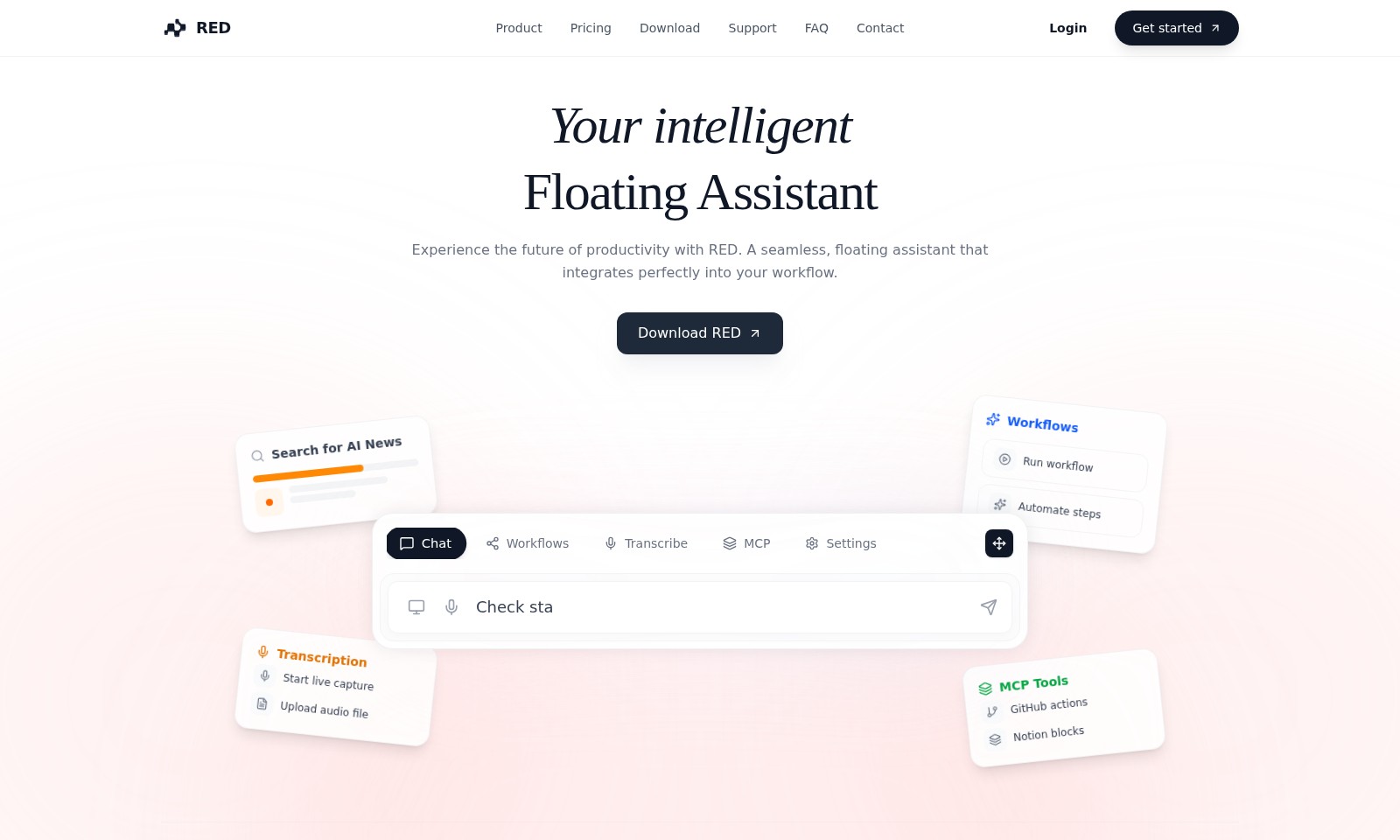
RED Introduction
RED is an innovative floating assistant designed to enhance your productivity through seamless integration into your daily workflow. With a variety of tools and features, it enables users to transcribe, automate, and streamline their tasks effectively, making it the ultimate solution for professionals across various sectors.
RED Features
Intelligent Floating Assistant - Seamless Workflow Integration
Enjoy an effortless boost in productivity with RED’s Intelligent Floating Assistant, designed to integrate flawlessly into your daily tasks. It allows you to manage your activities without disrupting your flow.
One-Click Workflow Automation - Simplified Task Management
Take advantage of our One-Click Workflow Automation feature that lets you initiate complex sequences with a single action. This reduces the time spent on repetitive tasks, enhancing efficiency for users across various roles.
Real-Time Transcription - Accurate and Efficient Documentation
The Real-Time Transcription capability captures live conversations and meetings with high accuracy, ensuring essential details are never missed. This feature is particularly beneficial for students and professionals looking to maintain precise records.
Cross-Platform Connectivity - Unmatched Flexibility
With our Cross-Platform Connectivity, you can connect RED seamlessly with tools like GitHub and Notion. This integration ensures that regardless of your preferred platform, your workflow remains uninterrupted and efficient.
Tailored User Experience - Personalized Interface
Experience a truly personalized interaction with our Tailored User Experience that adjusts to your specific needs, whether you are a developer, a writer, or part of an HR team. This feature streamlines your tasks by offering relevant tools and suggestions.
Advanced Settings - Unparalleled Control
The Advanced Settings option gives users intricate control over their workflows, allowing customization that fits individual preferences. This level of control ensures that teams can optimize their processes according to specific requirements.
Frequently Asked Questions About RED
Frequently Asked Questions about RED
1. What is RED and how does it help with productivity?
RED is an intelligent floating assistant designed to enhance your workflow. By integrating seamlessly into your daily tasks, it helps automate routine actions, transcribe audio, manage workflows, and facilitate communication across various roles.
2. How can I download RED?
You can download RED directly from our website. Simply navigate to the 'Download' section, choose the appropriate version for your operating system, and follow the installation instructions provided.
3. What features does RED offer for different professions?
RED is tailored for various roles including students, developers, HR teams, and marketing professionals. Each role has access to specific tools like transcription, automated workflows, and chat capabilities to suit their unique needs.
4. Is there any support available if I encounter problems with RED?
Yes! We provide comprehensive support through our 'Support' section on the website, where you can find troubleshooting guides, contact information for our support team, and user resources to assist you in using RED effectively.
5. Can I integrate RED with other tools I already use?
Absolutely! RED allows for seamless integration with popular tools such as GitHub and Notion. You can connect these tools to enhance functionality and streamline your workflows further.
6. How can I automate workflows using RED?
With RED, you can automate complex sequences of tasks by setting up customized workflows. This feature enables you to trigger actions based on various criteria, making your processes more efficient and less time-consuming.
How to Use RED
Step 1: Register for an Account
Visit the RED website and click on the 'Get started' button. Fill out the registration form with your email and desired password to create your new account.
Step 2: Log In to Your Account
Once registered, return to the homepage and click on the 'Login' button. Enter the credentials you just created to access your personal dashboard.
Step 3: Set Up Your Profile
After logging in, navigate to the account settings to set up your profile. Fill in your personal information and preferences to tailor your experience.
Step 4: Download the RED Application
Go to the 'Download' section on the website. Choose the suitable version for your operating system and follow the prompts to install the application on your device.
Step 5: Explore the Dashboard
Open the RED app and familiarize yourself with the user interface. Notice the key features available, such as 'Transcription', 'Chat', and 'Workflows'.
Step 6: Start a Live Capture
To begin using the transcription feature, select 'Start live capture' from your dashboard. Ensure your microphone is active to capture audio seamlessly.
Step 7: Upload an Audio File
If you have pre-recorded audio, go to the 'Upload audio file' option. Follow the instructions to upload your file, and the transcription process will begin automatically.
Step 8: Utilize Chat Features
Explore the chat feature by initiating a conversation with the floating assistant. Type your questions or commands to see how it integrates into your workflow.
Step 9: Create and Run Workflows
Navigate to the 'Workflows' section and click on 'New'. Set up an automated sequence that suits your needs, then save and run your workflow with just one click.
Step 10: Adjust Settings
Access the 'Settings' tab to customize your RED experience further. Modify preferences like notifications, integrations, or account settings based on your requirements.
Reviews
Pros
- Easy to use
- Fast processing
- Great results
- Affordable pricing
Cons
- Limited free version
- Requires internet connection
Comments
No comments yet. Be the first to share your thoughts!
RED - Alternative Platforms
For some alternatives to RED that you may need, we provide you with sites divided by features.

Dart offers innovative AI features for intelligent task management, customizable workspaces, and effective project planning to boost team efficiency.
Explore guest mode benefits, including chat saving and optimized responses through a quick sign-up.
Beam AI is an AI-driven software for accurate takeoff and estimating, helping contractors automate processes and improve bid efficiency.
Discover Clawdbot, a self-hosted AI assistant that manages tasks and integrates with various messaging platforms, with full control over your data.