Project Genie
Project Genie allows users to create, navigate, and remix photorealistic 3D environments in real-time, no design skills needed.
Project Genie Introduction
Project Genie: AI World Generation Made Accessible
Project Genie is an innovative platform that empowers users to effortlessly create immersive, photorealistic interactive worlds. By harnessing the capabilities of Google's advanced Genie 3 technology, this service transforms simple text prompts into vibrant 3D environments, enabling creators of all skill levels to produce stunning virtual landscapes in real-time. Whether you're a seasoned developer or a novice with no design experience, Project Genie offers the tools you need to bring your ideas to life with minimal effort.
Project Genie Features
Project Genie - AI World Generation Made Accessible
Transformative World Creation - Leverage advanced AI to effortlessly create interactive 3D environments that are both photorealistic and immersive. User-Friendly Interface - No design experience is required; simply input text and watch as your worlds come to life.
High-Quality Outputs
Unmatched Visual Fidelity - Experience stunning visuals powered by Google's cutting-edge Genie 3 technology. Real-Time Rendering - Generate and navigate your creative spaces instantly, enhancing productivity and workflow.
Trusted by Creators
Community Endorsement - Join over 150K creators who trust Project Genie for their world-building endeavors. Diverse Use Cases - Whether for gaming, education, or virtual tours, our platform caters to various industries and applications.
Versatile Scene Options
Dynamic Content Selection - Choose from a wide variety of scene templates, such as winter sports or coastal adventures, to kickstart your project. In-Depth Customization - Enjoy robust customization features that allow you to tweak and refine your designs to fit specific needs.
Effortless Collaboration
Collaborative Tools - Utilize built-in collaboration features to invite team members for joint projects. Seamless Sharing - Easily share your creations with others through integrated social media tools.
Cost-Effective Solutions
Accessible Pricing Plans - Find a plan that fits your budget, whether you’re a hobbyist or a professional. High Value - Get the most out of your investment with efficient tools and resources that help you create even faster.
Continuous Improvement
Regular Updates - Benefit from ongoing platform enhancements that introduce new features and improve existing ones. User Feedback Integration - Your suggestions shape the future of Project Genie, ensuring the platform continues to meet your needs.
Frequently Asked Questions About Project Genie
FAQs
What is Project Genie?
Project Genie is a revolutionary platform powered by Google's Genie 3, designed to transform text prompts into immersive, photorealistic interactive worlds. It enables users to create detailed 3D environments in real-time without requiring prior design experience.
How do I get started with Project Genie?
To start using Project Genie, simply sign up for an account on our website. Once registered, you can explore various features, and begin crafting your own interactive worlds by inputting text prompts that will be transformed into stunning visual environments.
What types of projects can I create with Project Genie?
Project Genie is versatile and suitable for a range of use cases, including educational simulations, game design, virtual tours, and more. Whether you're a creator, educator, or game developer, you can leverage this platform to bring your imaginative concepts to life.
Is there a cost associated with using Project Genie?
Project Genie offers various pricing plans, including a free tier that allows limited access to key features. For more extensive use and premium functionalities, you can choose from our affordable subscription options designed to meet the needs of different users.
Can I share my creations with others?
Yes! Once you have created a world, you can easily share it with others through links or embedded options. This is perfect for educational purposes, collaborative projects, or simply to showcase your work to the community.
What support is available if I encounter issues?
If you experience any difficulties while using Project Genie, our dedicated support team is available to assist you. You can find resources on our website, including FAQs, tutorials, and user forums to help resolve any concerns.
How to Use Project Genie
Step 1: Register an Account
Visit the Project Genie website and click on 'Sign Up'. Fill in your email address and create a password. Click 'Create Account' to begin your journey.
Step 2: Verify Your Email
Check your email inbox for a verification email from Project Genie. Click the verification link to confirm your account. This ensures your account is secure and ready for use.
Step 3: Complete Your Profile
Log in to your account and navigate to the profile settings. Upload a profile picture and fill out the necessary personal information. Completing your profile helps you connect better with other creators.
Step 4: Explore the Dashboard
Once your profile is set up, go to the Project Genie dashboard. Familiarize yourself with the layout and available features. The dashboard is your central hub for all activities related to world creation.
Step 5: Start a New Project
Click on 'Start Creating Worlds' to begin a new project. Choose a project title and select the type of world you want to create. Keep it specific to streamline your creation process.
Step 6: Generate Your World
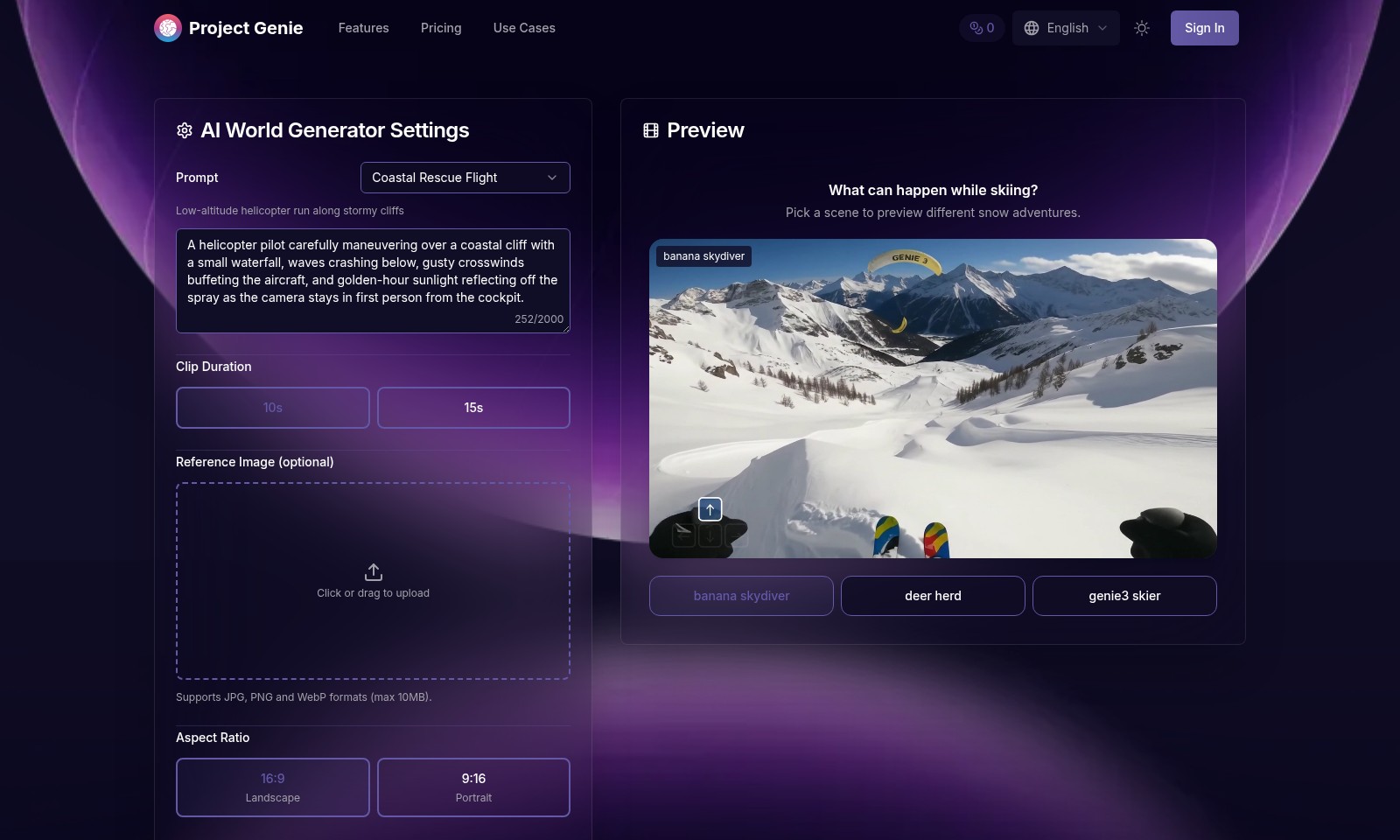
Utilize the AI World Generator by inputting prompts related to your vision. You can also upload reference images for better guidance. Experiment with different prompts to enhance the creativity of your environment.
Step 7: Customize Your Environment
Use the tools provided to modify your world. Adjust settings like aspect ratio and clip duration based on your project needs. Tailor the environment to suit your artistic goals and preferences.
Step 8: Preview Your Project
Before finalizing, hit the 'Preview' button to see a simulation of your world. This allows you to evaluate the elements you've integrated and make changes if necessary.
Step 9: Share Your Creation
Once satisfied, share your project with the community. Click on the 'Share' button and choose the social platforms you'd like to use. Promoting your world can lead to valuable feedback and collaboration opportunities.
Step 10: Engage with the Community
Join Project Genie’s forums and chat features to connect with other creators. Discuss ideas, seek advice, and collaborate on projects to enhance your skills. Building a network within the community can enhance your experience on the platform.
Reviews
Pros
- Easy to use
- Fast processing
- Great results
- Affordable pricing
Cons
- Limited free version
- Requires internet connection
Comments
No comments yet. Be the first to share your thoughts!
Project Genie - Alternative Platforms
For some alternatives to Project Genie that you may need, we provide you with sites divided by features.

Meshy AI offers powerful AI-driven tools to instantly generate game-ready 3D models from text or images, catering to creators and developers.
Fastin3D offers an easy-to-use platform for transforming images into 3D models, featuring tools like Image Studio and Texture Generator.
Transform your creative ideas into professional 3D assets quickly and easily using Hunyuan 3D's cutting-edge AI technology.
SAM 3D offers innovative tools for single-image 3D reconstruction, allowing easy transformation of images into 3D models with high accuracy and speed.