TurboScribe
TurboScribe offers unlimited audio and video transcription with advanced features like speaker recognition, translations, and high accuracy.
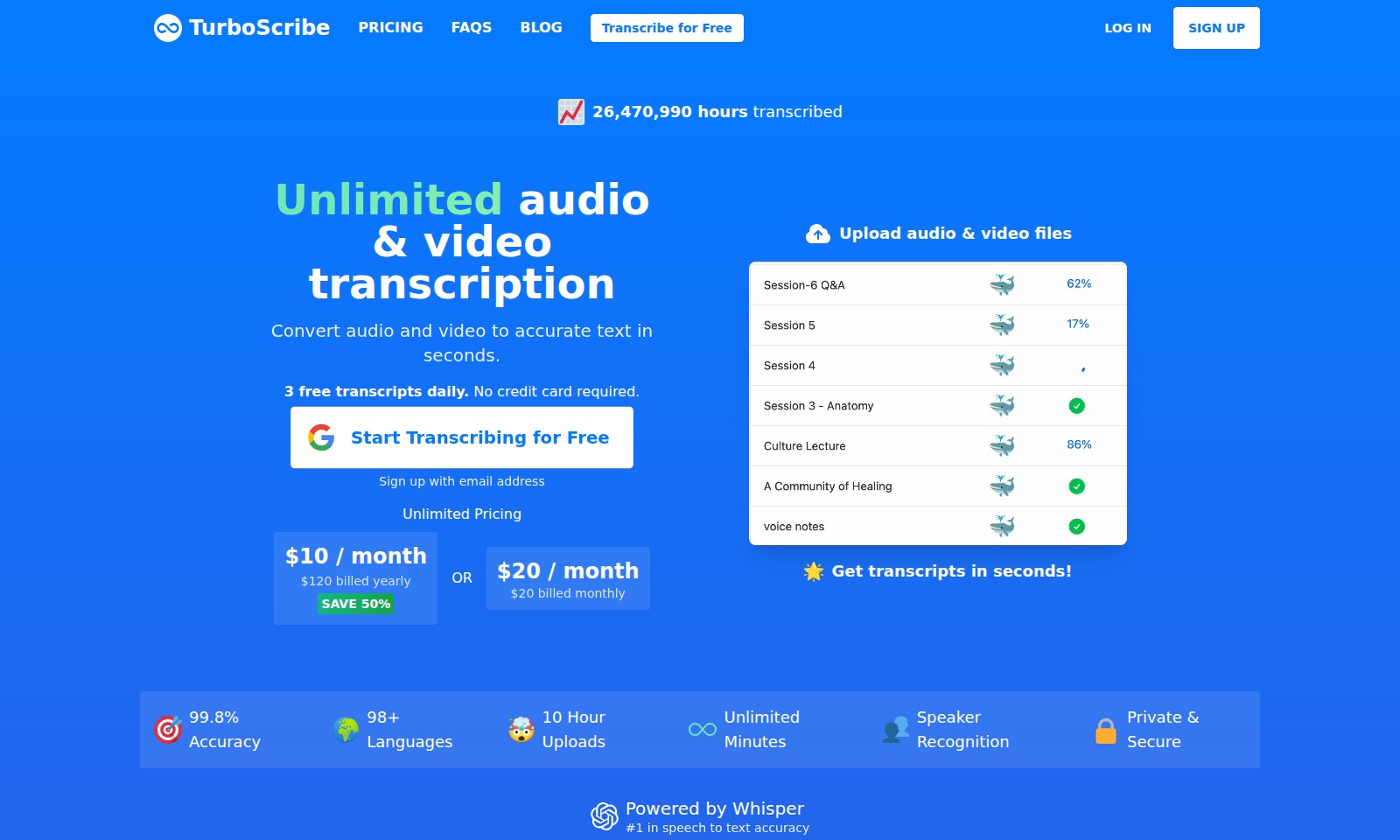
TurboScribe Introduction
TurboScribe: Revolutionizing Audio and Video Transcription
TurboScribe offers a powerful solution for transcribing your audio and video content with unparalleled accuracy and speed, helping professionals convert their recordings into text effortlessly.
TurboScribe Features
Transcribe for Free - Effortless Start
Experience the convenience of transcription at no cost. Upload your audio or video files and convert them to accurate text within seconds. With our free offering, you can transcribe up to 3 files daily without any credit card information needed.
Unlimited Pricing - Flexible Plans for Everyone
Choose a pricing model that suits your needs. Opt for our annual plan at $120 per year, saving 50%, or select the monthly option at $20. Both plans include unlimited audio and video transcription, ensuring you never run out of resources while meeting your transcription needs.
99.8% Accuracy - Precision You Can Trust
Benefit from industry-leading accuracy in transcription. Our platform, powered by the advanced Whisper technology, delivers an impressive 99.8% accuracy rate, making it the preferred choice for professionals who rely on precise text conversion.
Multi-Language Support - Transcribe in Over 98 Languages
Cater to a global audience with our extensive language support. Whether transcribing for English, Spanish, French, or more, our service can handle diverse linguistic needs seamlessly, enhancing accessibility for users worldwide.
Speaker Recognition - Simplifying Conversations
Enhance the clarity of your transcripts with our cutting-edge speaker recognition feature. This technology identifies different speakers in your recordings, making it easier to differentiate voices and understand dialogue in interviews, meetings, and discussions.
Secure and Private - Your Data Matters
Transcribing sensitive material? Rest assured knowing that our platform prioritizes your privacy and security. With end-to-end encryption, your audio and transcripts are protected, ensuring confidentiality during the transcription process.
Quick Uploads - Speed at Your Fingertips
Upload audio and video files with ease using our drag-and-drop interface. Compatible with various file formats (MP3, MP4, WAV, and more), our platform ensures a smooth user experience, allowing you to get transcripts in seconds without technical hurdles.
Frequently Asked Questions About TurboScribe
Frequently Asked Questions
1. How can I transcribe audio or video files using TurboScribe? You can easily transcribe audio or video files by visiting the TurboScribe website. Simply drag and drop your file into the designated area or browse your files to upload. The platform supports a wide range of formats including MP3, MP4, and WAV.
2. Is there a limit to how many files I can transcribe for free? Yes, you can transcribe up to 3 files daily for free without needing to enter any credit card information. This is a great way to test the service before deciding to subscribe to a paid plan.
3. What are the pricing options for TurboScribe? TurboScribe offers flexible pricing. You can choose a monthly plan for $20/month or save 50% by opting for the annual plan at just $10/month, billed yearly. Both plans provide unlimited minutes, ensuring that you can transcribe as much audio and video as you need.
4. How accurate are the transcripts provided by TurboScribe? TurboScribe boasts an impressive 99.8% accuracy rate, which is powered by advanced Whisper technology. This ensures that your transcripts are not only fast but also highly reliable across more than 98 languages.
5. What security measures does TurboScribe have for user data? TurboScribe prioritizes user privacy and security. All transcripts are processed privately and securely, ensuring that your data remains confidential while you benefit from the accurate transcription services.
6. Can TurboScribe recognize different speakers in audio recordings? Yes, TurboScribe features speaker recognition capabilities, making it easier to differentiate between different speakers in your audio files. This is particularly useful for meetings, interviews, or any conversations with multiple participants.
How to Use TurboScribe
Step 1: Sign Up for an Account
To start using TurboScribe, click on the 'Sign Up' button. Enter your email address to create a new account. Make sure to check your email for a verification link to complete the registration process.
Step 2: Log In to Your Account
After verifying your email, go back to the TurboScribe homepage and click 'LOG IN'. Enter your registered email and password to access your account dashboard.
Step 3: Set Up Your Profile
Once logged in, navigate to your profile settings. Fill out any additional information required. This step helps personalize your experience and ensures that your preferences are saved.
Step 4: Uploading Files for Transcription
On the dashboard, locate the option to upload files. You can either drag and drop your audio or video files or click 'BROWSE FILES' to select them manually. TurboScribe accepts various file formats, so ensure your files are compatible.
Step 5: Choose Audio Language
Before starting the transcription, select the appropriate audio language from the dropdown menu. This selection is crucial for the accuracy of the transcriptions you will receive.
Step 6: Start Transcribing
After selecting your file and language, click the 'Transcribe Files' button to initiate transcription. Depending on the file size, this may take a few moments. Watch for notifications regarding the status of your transcription.
Step 7: Access Your Transcripts
Once the transcription process is complete, your transcripts will be available for you to view. You can download them or edit them directly within the TurboScribe platform.
Step 8: Explore Key Features
Now that you have your transcripts, take time to explore TurboScribe's key features. Experiment with speaker recognition, editing tools, and easy download options to make the most of your transcription experience.
Step 9: Upgrade Your Plan
If you find yourself needing more functionalities, consider upgrading your plan. TurboScribe offers various subscription options that provide unlimited access and enhanced features for avid users. Check the pricing page for more details on available plans.
Reviews
Pros
- Easy to use
- Fast processing
- Great results
- Affordable pricing
Cons
- Limited free version
- Requires internet connection
Comments
No comments yet. Be the first to share your thoughts!
TurboScribe - Alternative Platforms
For some alternatives to TurboScribe that you may need, we provide you with sites divided by features.

SAM Audio leverages AI to provide seamless audio separation, making it ideal for music production, podcasting, and sound design.
Voicemaker transforms text into human-like speech, enabling creators to produce voiceovers easily for diverse applications.
This webpage offers a free online audio converter that supports over 300 formats, allowing users to convert and extract audio from video files securely.
Adobe Podcast offers AI-driven tools for recording, editing, and enhancing audio seamlessly online.