Happy Scribe
HappyScribe offers AI notetaking and transcription services with human quality assurance, supporting over 120 languages and seamless team collaboration.
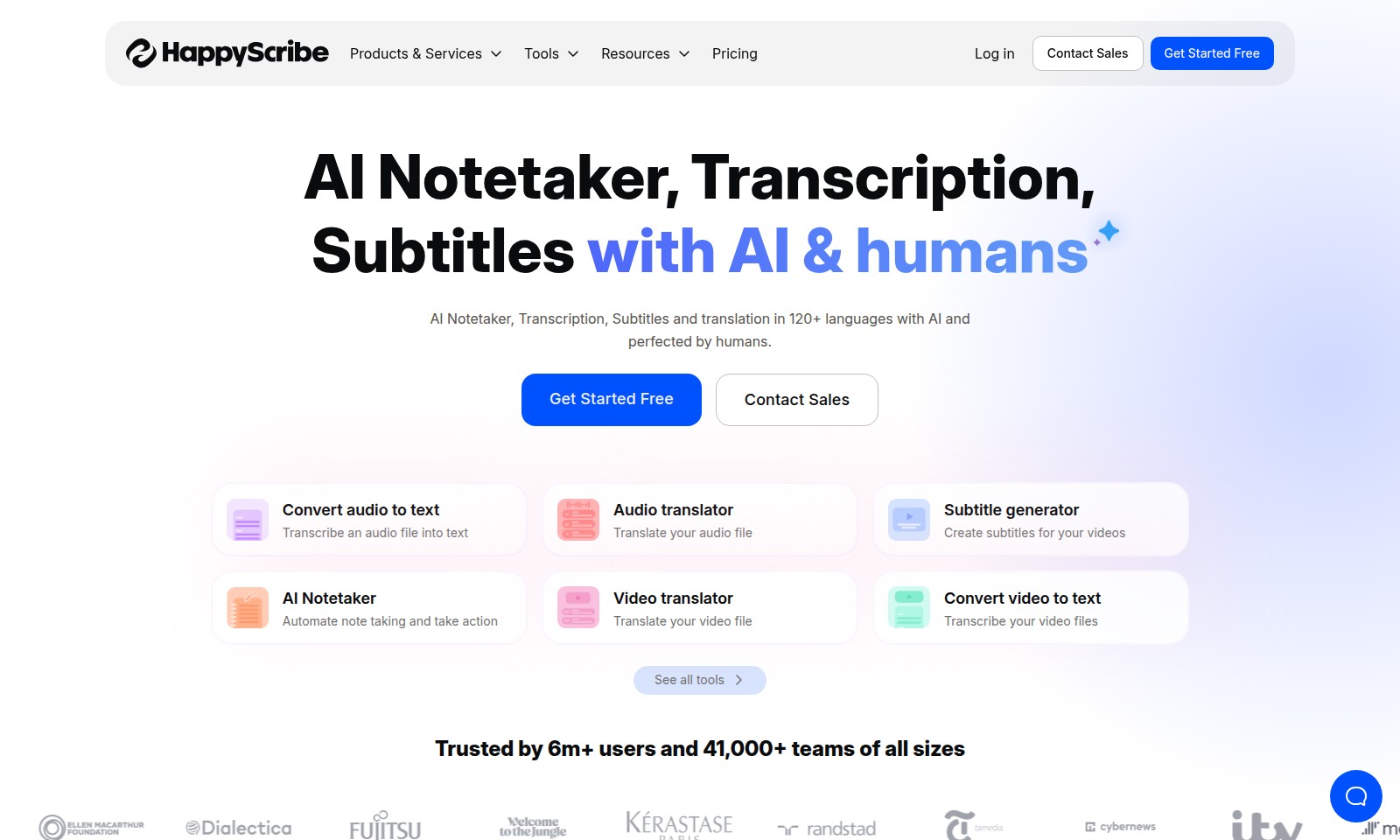
Happy Scribe Introduction
AI Notetaker and Transcription Services
Our platform leverages cutting-edge AI technology to transform audio and video content into accurate text, ensuring that important information is captured and easily accessible. With AI-powered notetaking, transcription, subtitles, and translation capabilities across 120+ languages, we enable seamless communication and understanding in diverse settings. This service is invaluable for professionals and organizations seeking to enhance productivity and improve accessibility in their meetings and presentations.
Happy Scribe Features
AI Meeting Notetaker - Simplified Collaboration
Reduce the time spent on manual note-taking with AI Meeting Notetaker. This tool integrates seamlessly with major platforms like Google Meet, Microsoft Teams, and Zoom, allowing for effortless coordination of meetings. By linking your Microsoft Outlook or Google Calendar, you can automate attendance and note collection, ensuring that no crucial detail is overlooked.
Audio Transcription - Accurate Conversion
Transform your audio recordings into editable text with our Audio Transcription tool. This feature captures high-quality transcriptions while maintaining speaker identification, which is especially beneficial for interviews and meetings. Designed for professionals who need precise documentation, this tool offers a quick turnaround time without sacrificing quality.
Multilingual Subtitle Generator - Global Accessibility
Reach a broader audience by utilizing our Multilingual Subtitle Generator. With support for over 120 languages, this tool automatically creates accurate subtitles for your videos, enhancing viewer engagement and accessibility. This is particularly useful for businesses expanding into international markets, ensuring that language barriers do not hinder communication.
Video Translation - Expand Your Reach
Easily translate your video files with our Video Translation feature. By converting video content into multiple languages, businesses can target specific demographics effectively. This tool is perfect for marketing teams aiming to enhance their global presence through localized video content.
AI Notetaker - Actionable Insights
Automate your note-taking process during meetings or lectures with our AI Notetaker. This smart tool not only records the spoken content but also highlights key points and action items, allowing teams to focus on discussions rather than documentation. It's ideal for busy professionals looking to streamline their workflow and maintain productivity.
Audio Translator - Break Language Barriers
Utilize our Audio Translator to convert spoken content from one language to another. This feature is designed to enable seamless communication in diverse environments such as multilingual meetings or international conferences. By quickly translating audio files, it allows teams to collaborate without language constraints, improving overall efficiency.
Video to Text Conversion - Efficient Content Repurposing
Turn your video files into text documents with our Video to Text Conversion tool. This feature is essential for content creators looking to repurpose video material for blogs, articles, or transcripts. By enabling quick access to video content, it facilitates easier sharing and enhances the overall productivity of content teams.
Frequently Asked Questions About Happy Scribe
FAQs about Our AI Notetaker and Transcription Services
1. What is the AI Notetaker, and how does it work?
The AI Notetaker is a tool that automates the note-taking process during meetings. It seamlessly integrates with platforms like Google Meet, Microsoft Teams, and Zoom, capturing spoken content and summarizing it into actionable notes.
2. Can I use the transcription service for both audio and video files?
Yes, our transcription service supports both audio and video files. You can easily convert your media into text format, making it convenient for documentation or content creation purposes.
3. Is the transcription accurate, and how is it performed?
We utilize advanced AI technology combined with human expertise to ensure high levels of accuracy in transcriptions. Our system is trained in over 120 languages, allowing it to understand and transcribe various accents and dialects with ease.
4. How do I get started with your services?
Getting started is simple! You can select the 'Get Started Free' option on our website to create an account. This allows you to explore our features and see how they benefit your note-taking and transcription needs.
5. Can I contact sales for enterprise solutions?
Absolutely! If you are interested in enterprise solutions or have specific requirements, feel free to click on the 'Contact Sales' option. Our team will be ready to assist you with custom solutions tailored to your organization’s needs.
6. Do you offer multilingual support for subtitles and translations?
Yes, our platform provides subtitle generation and translation services in more than 120 languages. This ensures that your content can reach a wider audience, regardless of language barriers.
How to Use Happy Scribe
Step 1: Get Started Free
Visit our website and click on the 'Get Started Free' button. This will lead you to the registration page where you can create your account easily.
Step 2: Register Your Account
Fill in the required fields like your name, email address, and a strong password. After submitting your information, check your email for a verification link to activate your account.
Step 3: Set up Your Profile
Once your account is activated, log in and navigate to your profile settings. Upload a profile picture and fill in any other relevant information to personalize your account.
Step 4: Explore Our Tools
Take a moment to browse through the various tools available. They'll assist you in transcribing audio, generating subtitles, and taking notes during meetings and calls.
Step 5: Connect Your Calendar
To automate your note-taking process, connect your Microsoft Outlook or Google Calendar account. This integration allows you to seamlessly record your meetings and get organized.
Step 6: Start a Project
Choose the type of project you want to start. You can select options like audio transcription, video subtitle generation, or note-taking. Click on the corresponding tool to begin your work.
Step 7: Upload Your Audio/Video Files
Depending on your selected tool, you will be prompted to upload your audio or video files. Ensure that you choose high-quality recordings for the best results.
Step 8: Customize Settings
Before processing, customize your settings. For transcription, select the desired language from 120+ available, and for subtitle generation, you can adjust timings and styles according to your needs.
Step 9: Process Your Files
Once everything is set, click on the 'Process' button. Our AI-powered technology will work on your files, and you'll be able to view progress in real time.
Step 10: Review and Edit
After the processing is complete, review the generated text or subtitles. You can make any necessary edits to ensure accuracy before finalizing your document.
Step 11: Export Your Results
Once satisfied with your project, export the final output in your preferred format. Options typically include .txt, .srt, or other file types suitable for your use.
Step 12: Reach Out for Support
If you encounter any issues or have questions, don’t hesitate to reach out to our support team. You can contact them through our 'Contact Sales' page for prompt assistance.
Reviews
Pros
- Easy to use
- Fast processing
- Great results
- Affordable pricing
Cons
- Limited free version
- Requires internet connection
Comments
No comments yet. Be the first to share your thoughts!
Happy Scribe - Alternative Platforms
For some alternatives to Happy Scribe that you may need, we provide you with sites divided by features.

The Picture Translate tool allows users to upload images and translate text efficiently, overcoming language barriers with advanced OCR technology.
Sonix provides automated transcription and translation services, allowing users to convert and manage audio and video content efficiently.
Immersive Translate offers a versatile translation extension supporting multiple platforms, enabling users to access bilingual content effortlessly.