Immersive Translate
Immersive Translate offers a versatile translation extension supporting multiple platforms, enabling users to access bilingual content effortlessly.
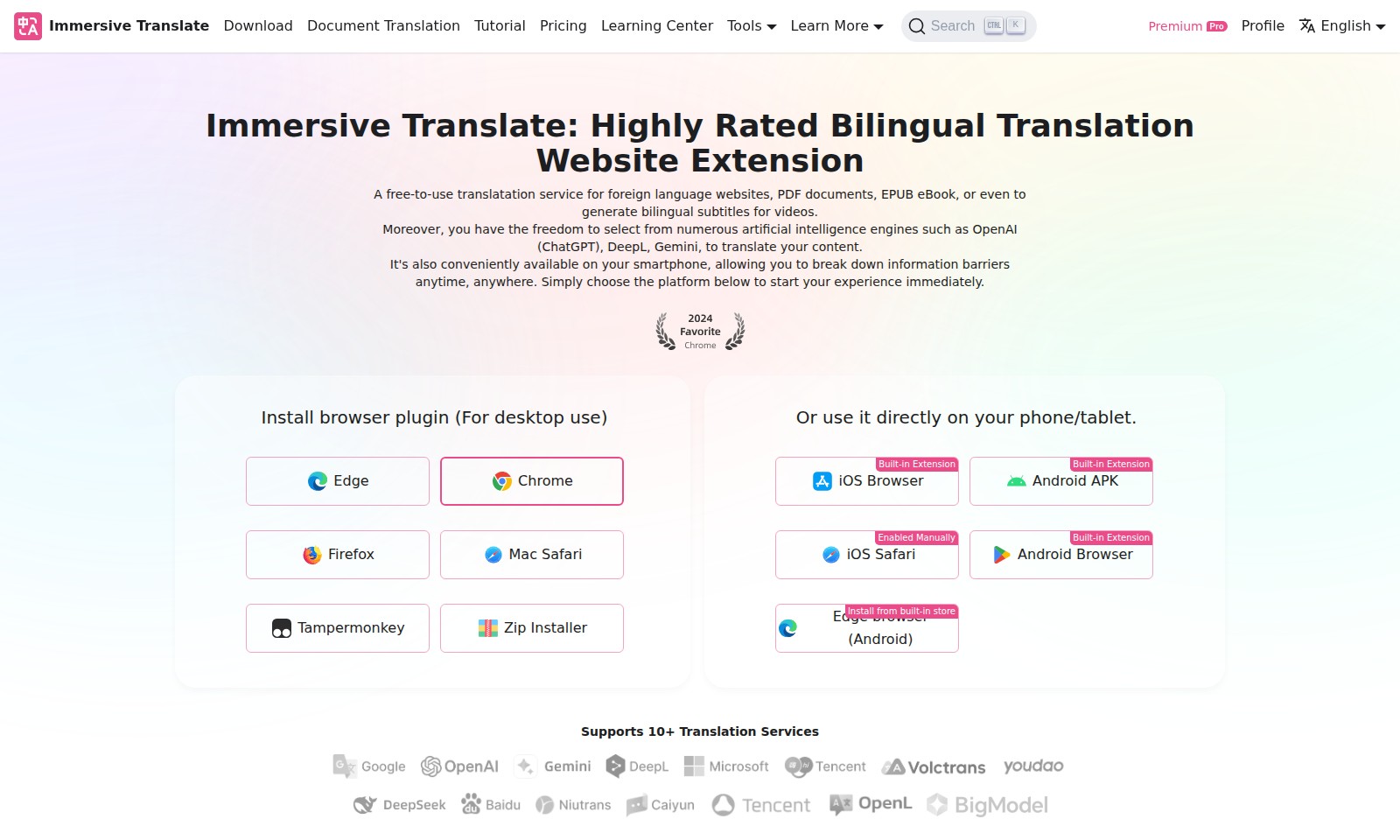
Immersive Translate Introduction
Immersive Translate: Your Ultimate Bilingual Translation Resource
Immersive Translate offers a powerful free-to-use translation service designed specifically for navigating foreign language websites and documents. Whether it's PDF files, EPUB eBooks, or even generating bilingual subtitles for your favorite videos, our platform makes language barriers a thing of the past. With the integration of multiple cutting-edge artificial intelligence engines, including OpenAI's ChatGPT, DeepL, and Gemini, users can enjoy precise translations tailored to their needs. Experience the freedom of accessing our services not just on your desktop, but also seamlessly on your smartphone, enabling you to break down information barriers anytime, anywhere.
Immersive Translate Features
Essential Document Translation
Easily translate foreign language documents for accurate comprehension. Our platform supports various file formats including PDF and EPUB, ensuring that your essential materials are always accessible.
Versatile Subtitle Generation
Generate bilingual subtitles for your video content seamlessly. Enhance viewer engagement by breaking down language barriers, allowing you to reach a wider audience.
AI Engine Flexibility
Choose from multiple advanced AI engines like OpenAI, DeepL, and Gemini for optimally translated content. This feature tailors the translation process to meet diverse user needs and preferences, ensuring high-quality outputs.
Mobile Accessibility
Access translation services on-the-go with our mobile-friendly applications. Enjoy seamless translation capabilities from your smartphone or tablet, empowering you to overcome language hurdles anytime, anywhere.
Browser Extension Convenience
Install our easy-to-use browser extension for a quick translation experience directly from your web browser. This feature allows users to translate text as they browse, maximizing efficiency and minimizing disruption to their workflow.
Comprehensive Learning Center
Engage with our extensive learning resources to improve your language skills. From tutorials to usage tips, our Learning Center is dedicated to enhancing your understanding and application of language translation techniques.
Affordable Pricing Options
Access premium features at competitive rates. Our transparent pricing model ensures you receive high value without unexpected costs, catering to businesses and individuals alike.
Frequently Asked Questions About Immersive Translate
Frequently Asked Questions
What types of documents can I translate with Immersive Translate?
You can translate a variety of documents including foreign language websites, PDF documents, and EPUB eBooks. Additionally, the service allows you to generate bilingual subtitles for videos, making it a versatile tool for different translation needs.
How do I install the Immersive Translate browser extension?
To install the browser extension, simply select your preferred browser from the options available such as Chrome, Firefox, Edge, or Safari. Follow the prompt to add the extension to your browser, and you will be ready to start translating instantly.
Is Immersive Translate available on mobile devices?
Yes! Immersive Translate is available on smartphones and tablets, allowing you to translate content on the go. You can use the service directly through your iOS or Android browser, with built-in extensions for easy access.
Can I use different AI engines for translation?
Absolutely! Immersive Translate allows you to choose from a range of artificial intelligence engines for your translations, including OpenAI (ChatGPT), DeepL, and Gemini. This flexibility helps you select the best option based on your specific translation needs.
What is the cost of using Immersive Translate?
Immersive Translate is a free-to-use service for translating various types of content. There are no hidden fees, making it an accessible option for users looking to overcome language barriers without financial constraints.
How do I get support if I have issues with the service?
If you encounter any issues while using Immersive Translate, you can visit our Learning Center for tutorials and guides. Additionally, our support team is available to assist you with any specific problems you may have, ensuring a smooth translation experience.
How to Use Immersive Translate
Register an Account
Visit the Immersive Translate website and click on the "Register" button located at the top right corner. Fill out the required fields, including your email and a secure password. Make sure to verify your email address to activate your account before moving on.
Complete Your Profile
After registration, log into your account and navigate to your profile settings. Upload a profile picture if desired and fill in any additional information to personalize your account. This helps to enhance your user experience by tailoring features to your preferences.
Install the Browser Plugin
To get started with document translation, install the Immersive Translate browser plugin for your desktop. Choose your browser from the options provided (e.g., Chrome, Firefox, Edge) and follow the installation prompts. Ensure the plugin is enabled for seamless usage.
Select Your Preferred Translation Engine
Once the plugin is installed, open it and select your preferred AI translation engine from the options available, such as OpenAI or DeepL. This choice affects the quality and style of translations you receive, so consider trying a few options to see which works best for you.
Start Translating Web Content
With the plugin activated, visit any foreign language website you want to translate. Highlight the text you wish to understand and click on the translation button in your plugin toolbar. The translated text will appear instantly, allowing you to comprehend the content without leaving the page.
Use Document Translation Features
To translate documents like PDFs or EPUBs, upload the file directly through the Immersive Translate interface. Select your desired output language, and initiate the translation process. You will receive a translated copy in a short time, ready for your use.
Generate Bilingual Subtitles for Videos
If you need subtitles for videos, navigate to the subtitle generation section and upload your video file. Choose the source and target languages and let the tool create bilingual subtitles that you can download and use directly in your video editing software.
Access Learning Resources
For a deeper understanding of the tools and features available, visit the Learning Center on the Immersive Translate website. Here, you will find tutorials, pricing information, and additional resources designed to help you maximize your use of the site.
Explore Mobile Options
Don't forget that you can utilize Immersive Translate on your smartphone or tablet. Download the dedicated app (available for iOS and Android) or use the built-in extensions in your mobile browser to access translation services on the go. This ensures you can break down language barriers anytime and anywhere.
Reviews
Pros
- Easy to use
- Fast processing
- Great results
- Affordable pricing
Cons
- Limited free version
- Requires internet connection
Comments
No comments yet. Be the first to share your thoughts!
Immersive Translate - Alternative Platforms
For some alternatives to Immersive Translate that you may need, we provide you with sites divided by features.

The Picture Translate tool allows users to upload images and translate text efficiently, overcoming language barriers with advanced OCR technology.
HappyScribe offers AI notetaking and transcription services with human quality assurance, supporting over 120 languages and seamless team collaboration.
Sonix provides automated transcription and translation services, allowing users to convert and manage audio and video content efficiently.