Serif
Serif streamlines email tasks, letting users save hours daily with automated replies and inbox management, enhancing productivity for professionals.
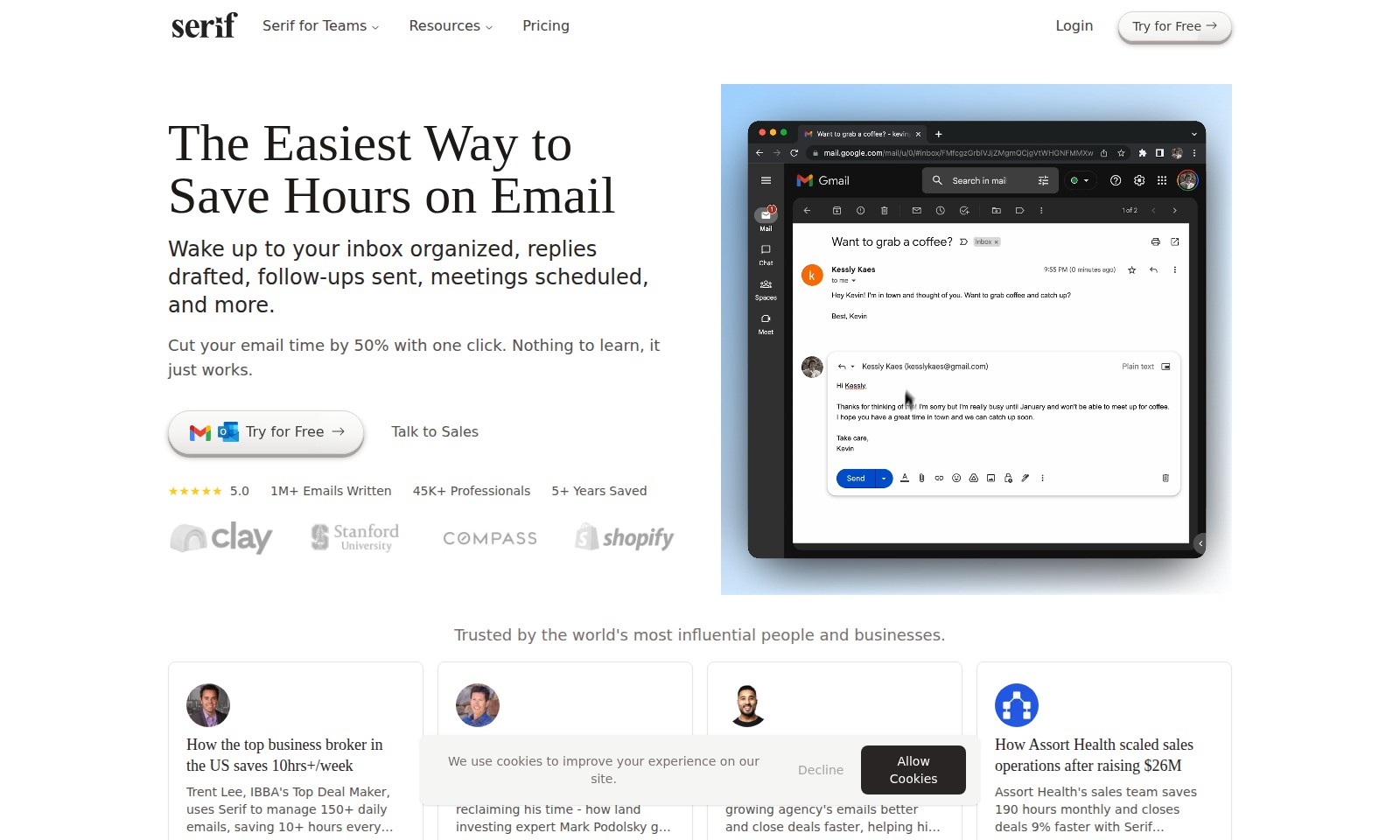
Serif Introduction
Transform Your Email Management with Serif for Teams
Serif for Teams redefines how professionals handle their email by providing a seamless solution that organizes your inbox, drafts replies, sends follow-ups, schedules meetings, and much more—all with just one click. Imagine waking up to an inbox that is already organized and ready to go, allowing you to focus on what truly matters in your day. With Serif, cutting down your email management time by 50% is not just a goal; it’s a reality.
Designed for businesses of all sizes, Serif empowers over 45,000 professionals who, just like you, seek to regain control over their email communication. Our platform has successfully managed over 1 million emails during its five-plus years in service and maintains a stellar 5.0 rating. Trusted by some of the world’s most influential people and businesses, Serif has quickly become the go-to solution for those serious about enhancing their productivity and achieving more in less time. Whether you’re a top business broker or an agency owner, the stories of our users illustrate the profound impact of using Serif on their day-to-day operations.
Serif Features
Email Organization - Maximized Efficiency
Transform your inbox into a well-organized workspace with Serif. By automating the sorting and prioritization of your emails, you can focus on what truly matters, freeing up valuable time.
Drafting Replies - Swift Communication
Instantly draft professional replies with Serif’s intelligent suggestion feature. This allows you to maintain the quality of your communications while significantly reducing the time spent crafting responses.
Follow-Up Management - Proactive Engagement
Never miss a follow-up again. Serif automatically reminds you of important emails that need a response, ensuring that you stay engaged with your contacts and opportunities.
Meeting Scheduling - Seamless Coordination
Easily schedule meetings right from your inbox with Serif’s integrated calendar feature. This eliminates the back-and-forth typically associated with finding suitable times, streamlining your scheduling process.
Time Savings - Quantifiable Impact
Experience up to 50% reduction in email handling time. With Serif’s user-friendly design, you will gain greater control over your email workload, allowing you to dedicate more time to critical business tasks.
Frequently Asked Questions About Serif
Frequently Asked Questions
What is Serif for Teams?
Serif for Teams is a powerful email management tool designed to help professionals save time and enhance productivity by organizing their inbox, drafting replies, scheduling meetings, and automating follow-ups. With its intuitive interface, users can cut their email time by up to 50% with just one click, allowing them to focus on more important tasks.
How does Serif help in reducing email time?
Serif utilizes advanced algorithms to manage your inbox effectively, automatically sorting emails and prioritizing important messages. By streamlining the entire email process, users can reclaim hours each week, as seen with many professionals who have integrated Serif into their daily workflow.
Can I try Serif for free?
Yes! Serif offers a free trial that allows new users to experience all the platform's features without upfront costs. This gives teams the opportunity to see how Serif can transform their email management before committing to a subscription.
Who uses Serif for Teams?
Professionals from various industries rely on Serif, including top business brokers and agency operators. Notable users, like Trent Lee and Harry, have reported saving significant amounts of time, improving their business operations, and closing deals faster through effective email management.
What are the pricing options for Serif?
Serif for Teams offers flexible pricing plans tailored to meet different needs. Potential users can visit the website to view detailed pricing information and choose the plan that best fits their team's requirements. Additionally, speaking with sales representatives can provide custom options for larger organizations.
Is it easy to integrate Serif with other tools?
Absolutely! Serif is designed for seamless integration with various tools and platforms often used by professionals. This ensures a smooth workflow and enhances productivity further by allowing for additional functionalities and resources to be harmoniously combined with email management.
How to Use Serif
Register for an Account
Visit the Serif for Teams website and click on 'Try for Free'. Fill out the registration form with your email address and create a password. Confirm your email through the link sent to your inbox to activate your account.
Set up your Profile
Once registered, log in to your account. Navigate to your profile settings to complete your information. Add relevant details such as your name and preferences to personalize your experience.
Explore Key Features
Familiarize yourself with the dashboard. Take a moment to explore the features available, including inbox organization, email drafting, and scheduling tools. Hover over each feature to understand its functionality.
Organize Your Inbox
Use the inbox organization tools provided by Serif. Start categorizing your emails into folders or labels. This will help streamline your workflow and make it easier to find important messages.
Draft Replies Effortlessly
When you receive an email that requires a response, use the drafting feature to create a reply. You can take advantage of templates or create your own draft that you can edit before sending, saving you time on repetitive tasks.
Schedule Meetings
Utilize the scheduling tool to arrange meetings directly from your inbox. Simply select the email with the proposed meeting, and use the scheduling feature to send invites, ensuring everyone is on the same page without back-and-forth emails.
Automate Follow-Ups
Set reminders for follow-ups on important emails. This feature will notify you when it’s time to check back on previous conversations, ensuring that you never miss out on critical communication.
Track Your Time
Monitor how much time you save using Serif through its analytics dashboard. Evaluate your productivity and identify areas where you can improve your efficiency further.
Seek Help When Needed
If you encounter any issues or have questions, visit the 'Resources' section on the website. You can access tutorials, FAQs, and customer support for assistance tailored to your needs.
Reviews
Pros
- Easy to use
- Fast processing
- Great results
- Affordable pricing
Cons
- Limited free version
- Requires internet connection
Comments
No comments yet. Be the first to share your thoughts!
Serif - Alternative Platforms
For some alternatives to Serif that you may need, we provide you with sites divided by features.

Touchpoint allows users to create stylish email templates effortlessly using AI, streamlining the entire design and sending process.
Spark provides a smart email experience with features like priority emails, collaboration tools, and enhanced focus options to boost productivity.
Superhuman Mail offers integrated AI solutions for email and team collaboration, helping users work faster and more effectively across platforms.
An AI-powered newsletter generator for seamless content creation, designed for e-commerce, marketers, and personal use to enhance engagement.