Ray3 AI Video
Ray3 AI revolutionizes video creation with intelligent HDR technology, enabling rapid iteration and professional-grade outputs for creators across industries.
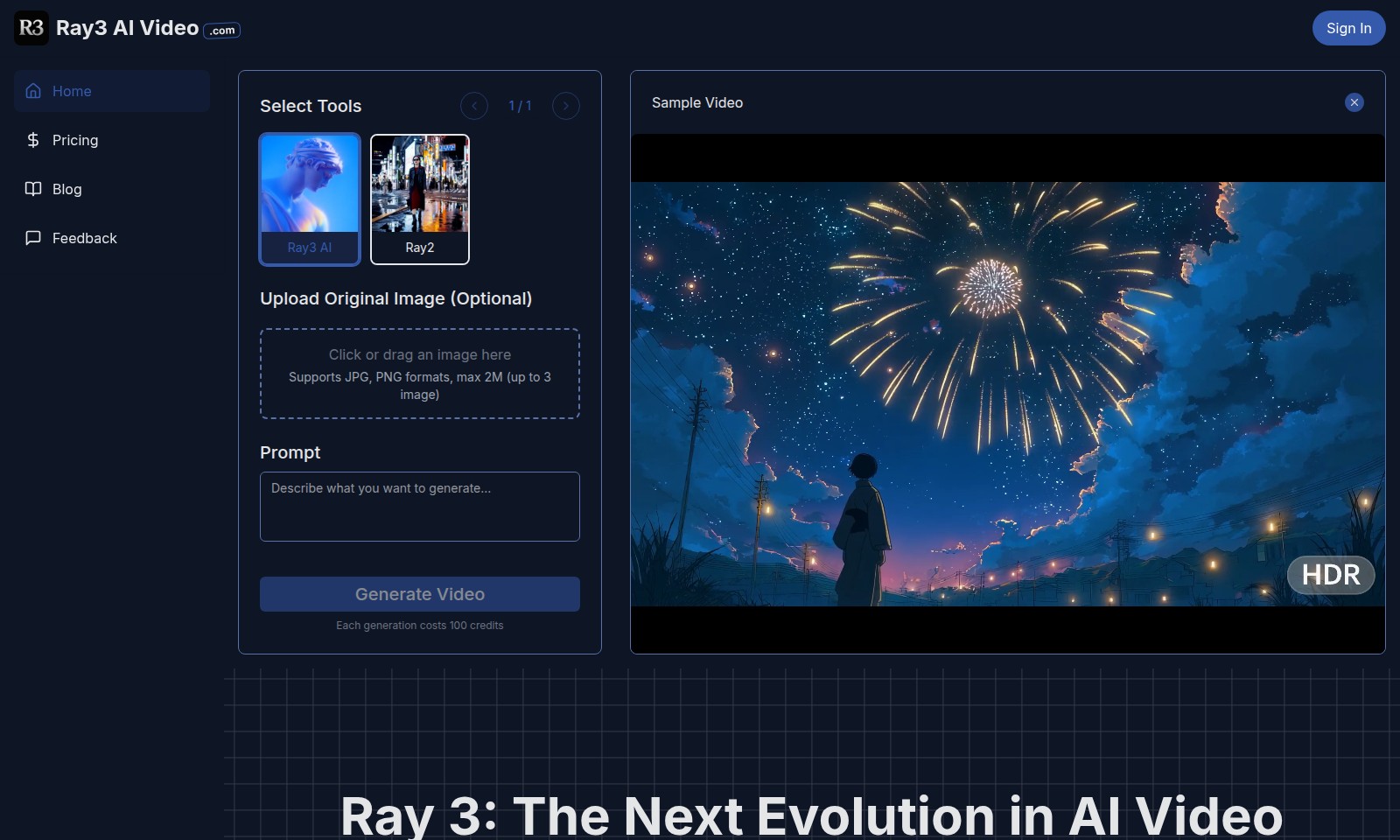
Ray3 AI Video Introduction
Elevate your creative projects with Ray3 AI Video, a groundbreaking platform that transforms your ideas into stunning visual content effortlessly. Utilizing advanced HDR rendering technology, our AI video generator empowers you to create high-quality videos that capture the essence of your vision.
Ray3 AI Video provides you with an intuitive interface for uploading images, ensuring a seamless user experience. With features such as draft previews and visual annotations, you can maintain creative control while saving time and resources. Each video generation is designed to be efficient, with a straightforward credit usage system that rewards your creativity. Dive into the future of video creation today and unlock the potential of your imagination with Ray3 AI.
Ray3 AI Video Features
AI Video Generation - Create Stunning Videos Effortlessly
Ray3 AI Video empowers users to transform their creative ideas into visually appealing videos with just a few clicks. The AI-driven technology ensures that even those without extensive video editing experience can produce professional-grade content.
HDR Rendering - Enhanced Visual Quality
Utilizing High Dynamic Range (HDR) rendering technology, Ray3 AI elevates video output quality to vibrant, lifelike standards, ensuring that every frame captures attention and engages viewers effectively.
Draft Previews - Instant Feedback
Experience immediate insights into your video creation process with draft previews. This feature provides users the advantage of assessing and fine-tuning their content in real-time before finalizing the output.
Visual Annotations - Simplified Editing
Make informed editing decisions with integrated visual annotations that facilitate easier modifications. Users can pinpoint areas for improvement directly on the video, streamlining the editing process.
Character Consistency - Streamlined Narratives
Maintain narrative integrity with character consistency features that ensure characters appear stable and uniform throughout the video, enhancing storytelling without disrupting viewer immersion.
Credit System - Cost-Effective Usage
With every video generation costing just 100 credits, Ray3 AI provides an accessible pricing structure, allowing frequent users to manage their resources effectively without overspending.
User Support - Continuous Improvement
The emphasis on user feedback enables continuous refinement of Ray3 AI's tools. If results don’t meet expectations, users can easily upgrade to the premium version to access advanced features and ensure satisfaction.
Frequently Asked Questions About Ray3 AI Video
Frequently Asked Questions
Q: What formats does Ray3 AI support for image uploads?
A: Ray3 AI supports JPG and PNG formats for image uploads, with a maximum file size of 2MB. You can upload up to three images at a time for video generation.
Q: How much does it cost to generate a video using Ray3 AI?
A: The cost to generate a video is 100 credits per generation. Make sure you have an adequate balance of credits before proceeding with video creation.
Q: How long does it take to generate a video?
A: Video generation may take some time, depending on the complexity of your request. Please be patient as your video is being processed.
Q: Can I retrieve my generated videos later?
A: Yes, all generation records will be saved in your images section, allowing you to come back and check them whenever you want.
Q: What should I do if I'm not satisfied with the generated results?
A: If you’re not happy with the generated video, consider trying our premium version, which may offer enhanced features for better results.
Q: Is there a referral program available for users?
A: Yes, we have a referral program that allows you to invite friends to join and earn credits for each successful referral. Check out our site for more details.
How to Use Ray3 AI Video
Sign Up for Ray3 AI Video
To get started, visit the Ray3 AI Video homepage. Click on the 'Sign In' button, and if you are a new user, select the 'Register' option. Fill in the required details such as your email and password, then submit the form to create your account.
Upload Your Original Image
Once registered, you will see an option to upload your original image. Click or drag your image (supports JPG, PNG formats, max 2M, up to 3 images) into the designated area. This will serve as the basis for your video generation.
Generate Your Video
After uploading the image, locate the 'Generate Video' button. Click it to initiate the video generation process. Please note that each generation costs 100 credits. Be patient as the generation happens, and you can track its progress on the screen.
Check Your Video Results
Once the generation is complete, the results will be displayed. Check the AI-generated video preview to see if it meets your expectations. If you're not satisfied, consider trying our premium version for enhanced features.
Explore Additional Features
Explore other features of Ray3 AI Video, such as visual annotations and draft previews. These tools allow for professional-grade video creation and can enhance your overall project. Don’t forget to take advantage of our limited time offers and invite friends for additional credits!
Reviews
Pros
- Easy to use
- Fast processing
- Great results
- Affordable pricing
Cons
- Limited free version
- Requires internet connection
Comments
No comments yet. Be the first to share your thoughts!
Ray3 AI Video - Alternative Platforms
For some alternatives to Ray3 AI Video that you may need, we provide you with sites divided by features.

Yevideo is an all-in-one platform for AI-generated videos and images, offering various models for enhanced creativity and efficiency.
Easily generate dancing pet videos or GIFs by uploading photos and choosing templates, perfect for social media sharing.
Pixalice offers a powerful AI tool for generating high-quality images and videos from text or photos, featuring a vast style library and user-friendly interface.
MojoMake offers advanced AI tools for video and image creation, providing commercial rights and professional quality, all in one platform.