Speechify
Discover Speechify, the leading text-to-speech app that offers a natural-sounding voice experience across various platforms.
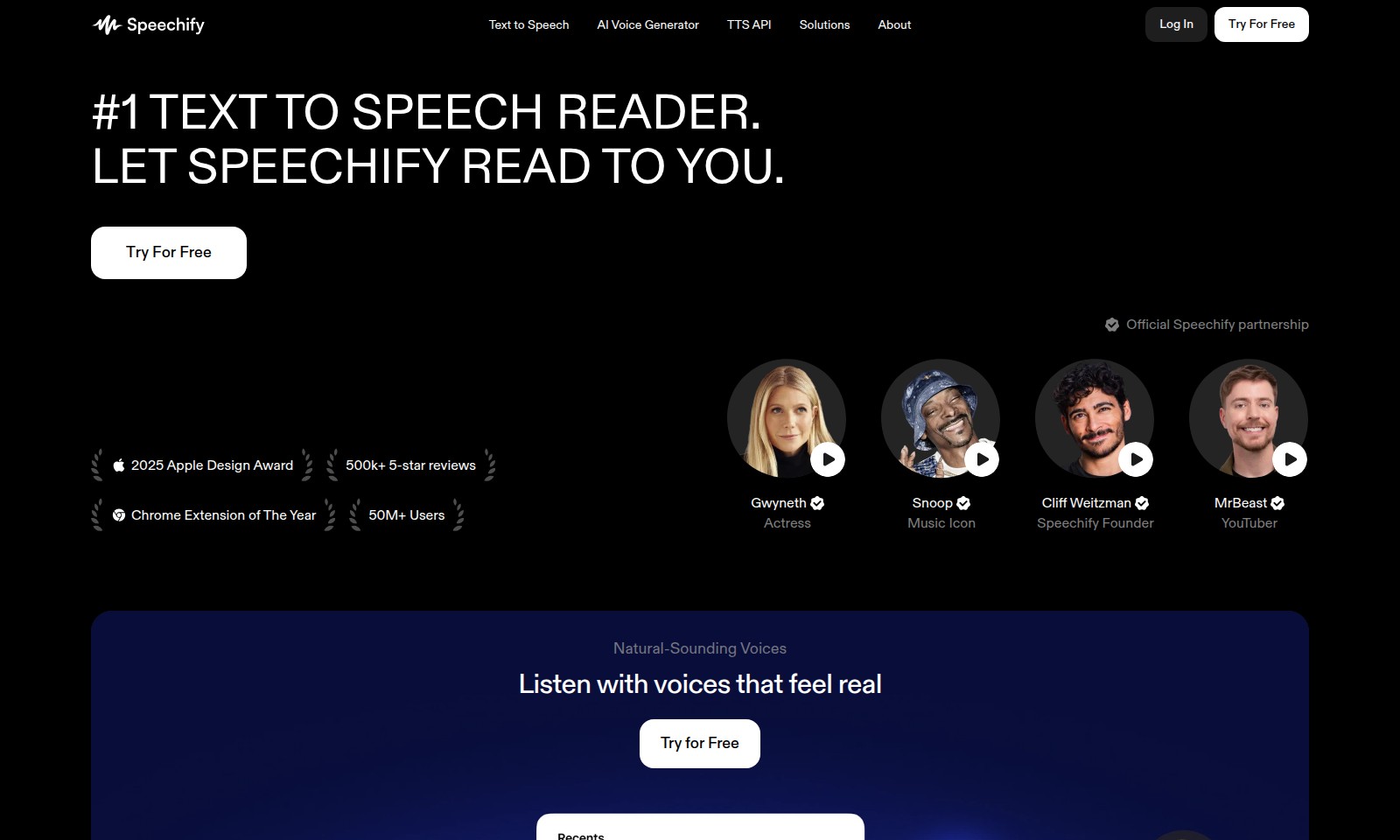
Speechify Introduction
Text to Speech Solutions for Everyone
Experience the power of speech technology with our comprehensive suite of text-to-speech solutions designed for diverse users. Our offerings include robust applications for iPhone, iPad, Android, and Mac devices, in addition to a powerful web version that integrates seamlessly with various platforms like Google Docs and PDF files. Whether you're a student, a professional, or someone who simply enjoys consuming content aurally, our tools provide unparalleled convenience and accessibility.
Speechify Features
Text to Speech - Seamless Audio Engagement
Experience effortless listening with our Text to Speech feature designed for users wanting content delivered audibly. It transforms written text into natural-sounding speech with just a click, making information accessible without visual strain. Technical Differentiation: Our state-of-the-art AI algorithms ensure high fidelity and diverse voice options to suit varying user preferences.
AI Voice Generator - Customized Solutions
Harness the power of AI to create unique voice outputs tailored to your brand’s identity, enhancing engagement in content delivery. This feature allows users to generate personalized audio alongside text. Technical Differentiation: With advanced voice modulation capabilities, you can select from a wide range of accents and tones, ensuring alignment with your audience's expectations.
Chrome Extension - Convenient Browsing
Integrate our Text to Speech capabilities seamlessly into your browsing experience with our Chrome Extension. It allows users to listen to web content directly, thus saving time and reducing multitasking fatigue. Technical Differentiation: The extension is lightweight and works with various websites, offering a smooth functionality while maintaining high performance across multiple tabs.
AI Voice Cloning - Unique Voice Replication
Create lifelike voice replicas tailored to your needs without starting from scratch. This feature is ideal for businesses requiring consistent voice branding while streamlining content production. Technical Differentiation: Our cloning technology ensures precise replicability of voice characteristics, providing a realistic auditory experience closely resembling the original speaker.
TTS API - Scalable Speech Solutions
Access our robust Text to Speech API designed for developers looking to integrate audio solutions seamlessly into their applications. It caters to diverse user needs whether for personal, educational, or business purposes. Technical Differentiation: With a scalable architecture, the API supports various formats and languages, ensuring broad applicability across international markets.
AI Voice Dubbing - Multilingual Efficiency
Enhance multimedia content with our voice dubbing feature, enabling creators to reach global audiences by translating and vocalizing content in multiple languages. Technical Differentiation: Our AI technology provides fast and accurate translations, thus significantly reducing the time taken for dubbing projects while ensuring quality output.
Access to Work (AtW) - Empowering Accessibility
Facilitate communication and learning for users who may struggle with traditional reading methods. This feature specifically benefits users eligible for the Disabled Students' Allowance (DSA), providing essential resources for academic success. Technical Differentiation: Our solutions offer adaptability to various learning styles, ensuring inclusivity and catering to a diverse range of user requirements.
Frequently Asked Questions About Speechify
FAQs about Text to Speech Services
What apps do you offer for Text to Speech?
We provide a variety of applications for Text to Speech, including iPhone & iPad Apps, Android App, Mac App, and Web App. Additionally, we have a Chrome Extension and Edge Add-on to enhance your reading experience.
How can I access the Text to Speech API?
To access our Text to Speech API, simply visit our API access page. We offer comprehensive documentation to assist you in integrating our services into your application.
What solutions do you have for businesses?
Our solutions for businesses include AI Voice Over Studio and AI Voice API for Enterprises. These services are tailored to meet the unique needs of your organization, providing high-quality voice generation for various applications.
Is there support for disabled students?
Yes, we provide guidance on resources like Disabled Students' Allowance (DSA) and Access to Work (AtW). These programs can assist eligible students and individuals in accessing our services to support their educational needs.
Can I read Google Docs aloud using your service?
Absolutely! Our solutions allow Google Docs to read aloud text, making it easier for users to consume information without reading. It's a fantastic tool for improving accessibility.
How does AI Voice Cloning work?
AI Voice Cloning allows you to create a custom voice based on your preferences or even replicate a specific voice. This technology can be particularly beneficial for personalized content creation or branding purposes.
How to Use Speechify
Step 1: Register an Account
To use our Text to Speech services, start by registering an account. Click the 'Sign Up' button on the homepage and fill out the required fields, including your email and a password. Ensure that your password is secure and memorable.
Step 2: Verify Your Email
After registration, check your email inbox for a verification email. Click the link in the email to confirm your account. This step is crucial to activate your access to our services.
Step 3: Log In to Your Account
Return to the website and click on 'Log In'. Enter your registered email and password to access your account dashboard. This is where you can manage your projects and settings.
Step 4: Set Up Your Profile
Once logged in, navigate to your profile settings. Here, you can update your personal information, add a profile picture, and configure notification preferences. A complete profile helps enhance your experience with personalized recommendations.
Step 5: Explore Key Features
Familiarize yourself with the key features available. From the dashboard, explore options like the AI Voice Generator, Text to Speech API, and the various applications for iPhone, Android, and web. Click on each feature to get detailed descriptions and usage guides.
Step 6: Try Out the AI Voice Generator
To start creating voice content, go to the AI Voice Generator. Input your text and select a voice type. Play around with different voices and settings to find the best fit for your project. This tool is integral for creating engaging and dynamic audio outputs.
Step 7: Download Necessary Apps
Depending on your device, explore the app downloads for iPhone, iPad, or Android. Install the appropriate app to access Text to Speech functionalities on the go. For desktop users, consider downloading the Mac app or using Chrome and Edge extensions.
Step 8: Create and Manage Projects
Back in your account dashboard, begin creating new projects. Organize your work by naming projects and adding necessary files. This structured approach helps keep your tasks easy to manage and accessible.
Step 9: Test the Features
Utilize our PDF to Audio Converter and other tools within your projects. Upload a document and listen to it aloud using the Text to Speech feature. Testing various formats helps you determine their effectiveness.
Step 10: Seek Help and Support
If you encounter any challenges, visit our documentation or contact support through the 'Contact' page. Our team is available to assist you with any queries or issues you might face as you navigate our offerings.
Step 11: Provide Feedback
After using the features, consider leaving feedback via our reviews section. Your insights are valuable and help us improve our services continually. Join the community of 50M+ users who share their experiences and tips.
Reviews
Pros
- Easy to use
- Fast processing
- Great results
- Affordable pricing
Cons
- Limited free version
- Requires internet connection
Comments
No comments yet. Be the first to share your thoughts!
Speechify - Alternative Platforms
For some alternatives to Speechify that you may need, we provide you with sites divided by features.

Yevideo is an all-in-one platform for AI-generated videos and images, offering various models for enhanced creativity and efficiency.
Easily generate dancing pet videos or GIFs by uploading photos and choosing templates, perfect for social media sharing.
Pixalice offers a powerful AI tool for generating high-quality images and videos from text or photos, featuring a vast style library and user-friendly interface.
MojoMake offers advanced AI tools for video and image creation, providing commercial rights and professional quality, all in one platform.