Kive
Kive enables fast, accurate visual content creation, helping brands produce high-end marketing assets with ease.
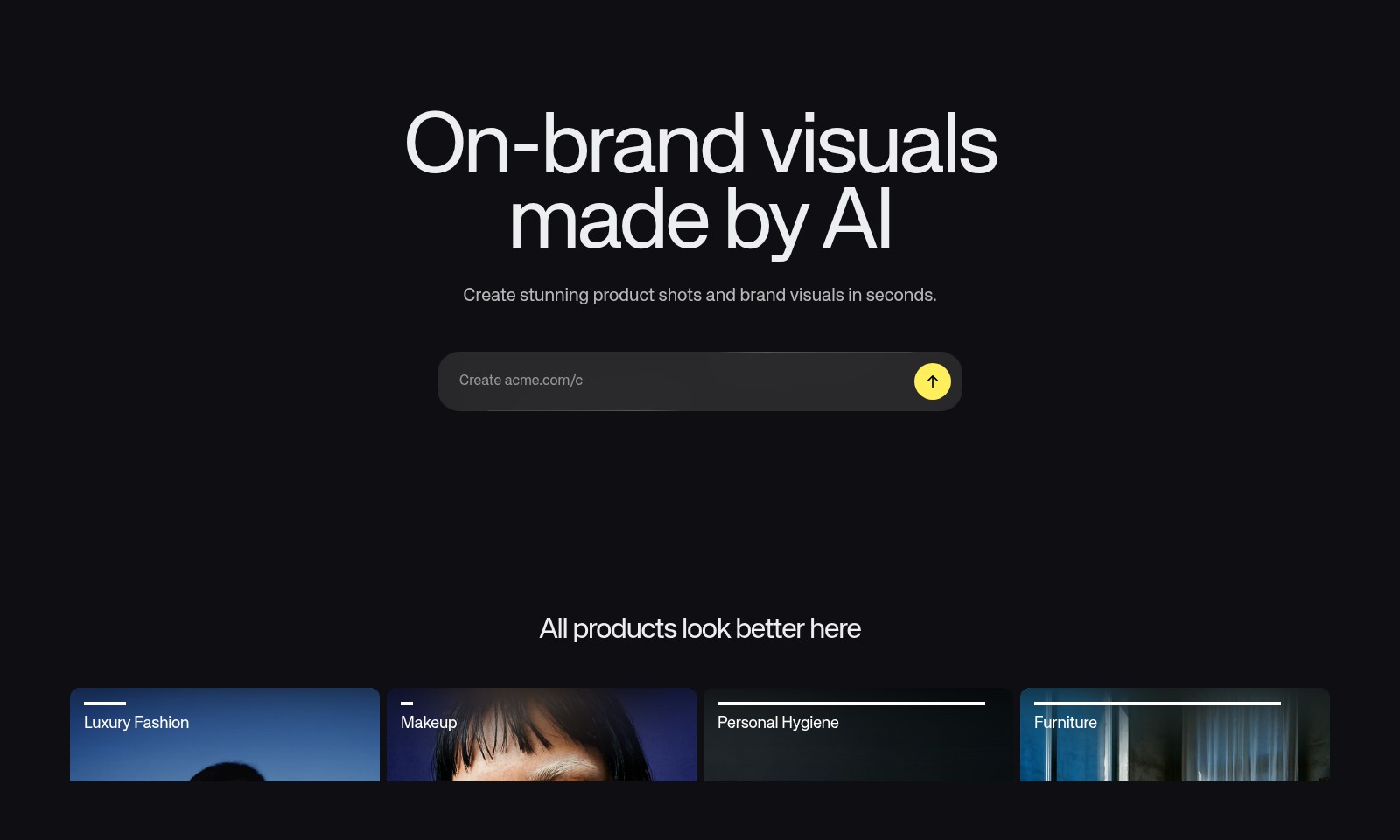
Kive Introduction
Elevate Your Brand with AI-Powered Visuals
Kive revolutionizes the way brands create stunning product visuals and marketing assets. By leveraging the latest advancements in artificial intelligence, our platform enables users to generate high-quality images and videos within seconds, allowing brands to maintain a consistent and compelling visual identity across various channels.
Kive Features
On-brand visuals made by AI
Create stunning product shots and brand visuals in seconds. Our platform enables businesses in diverse industries, from luxury fashion to personal hygiene, to produce high-quality content swiftly and economically. With our AI technology, brands can boost their marketing efforts without the burden of time-consuming processes or excessive costs.
Stunningly accurate generation
Our advanced AI integrates products and follows instructions with incredible precision, ensuring that the visuals generated are not just appealing but also aligned with your brand identity. Businesses are empowered to generate visuals that encapsulate their brand essence, enhancing their market presence with minimal effort.
Frequently Asked Questions About Kive
FAQ About Kive
What is Kive and how does it work?
Kive is an AI-powered platform that allows users to create stunning product shots and brand visuals effortlessly. By entering a creative prompt, users can generate high-quality images that meet their specific visual needs in just seconds.
What types of visuals can I create with Kive?
With Kive, you can create a wide variety of visuals, including luxury fashion shots, makeup displays, personal hygiene product images, and furniture presentations. The platform is designed to handle various industries and provides on-brand visuals that resonate with your target audience.
How does Kive ensure the quality of the generated images?
Kive utilizes advanced AI technology that accurately integrates products and follows user instructions with incredible precision. This ensures that the images produced are not only visually appealing but also consistent with your brand's aesthetic and message.
Who is Kive suitable for?
Kive is ideal for small teams and individuals who need to manage high creative workloads without the costs and delays often associated with traditional content creation. Whether you're a startup or an established brand, Kive can help streamline your visual production process.
Is there a free trial available for Kive?
Yes, Kive offers a free trial that allows users to explore its features and create visuals without any commitment. This is a great way to see if the platform meets your needs before subscribing to a paid plan.
How to Use Kive
Step 1: Register for an Account
To get started, visit the Kive website and click on the 'Get started' button. Fill in the registration form with your email address and create a strong password. Verify your email to activate your account.
Step 2: Log in
Once your account is activated, return to the Kive homepage and click on 'Log in'. Enter your registered email and password to access your dashboard. If you forget your password, use the 'Forgot Password?' link to reset it.
Step 3: Set up Your Profile
After logging in, navigate to the profile settings. Fill in your personal information and preferences to tailor your experience. Make sure to upload a profile picture to add a personal touch.
Step 4: Explore Features
Familiarize yourself with the features available on Kive. Browse through the 'Discover' section to see various tools and resources at your disposal. Pay particular attention to how AI can assist you in creating high-quality visual content.
Step 5: Create Your First Project
To begin creating, click on 'Create Stunning Product Shots'. Enter your creative prompt in the designated text box, specifying details like product type and visual aspects. The AI will generate visuals based on your input in seconds.
Step 6: Edit Your Visuals
Once the AI generates your visuals, you can make adjustments to meet your needs. Use the editing tools to refine colors, crop images, or add text layers. This ensures your visuals comply with your brand's style guidelines.
Step 7: Save and Share
After finalizing your designs, save them to your account or download them directly for use. You can also share your creations directly on various platforms or with your team members for feedback.
Step 8: Review and Learn
Regularly check the 'Customers' section for case studies and testimonials from others who have used Kive. This can provide inspiration and insights into maximizing your usage of the platform.
Reviews
Pros
- Easy to use
- Fast processing
- Great results
- Affordable pricing
Cons
- Limited free version
- Requires internet connection
Comments
No comments yet. Be the first to share your thoughts!
Kive - Alternative Platforms
For some alternatives to Kive that you may need, we provide you with sites divided by features.

Yevideo is an all-in-one platform for AI-generated videos and images, offering various models for enhanced creativity and efficiency.
Easily generate dancing pet videos or GIFs by uploading photos and choosing templates, perfect for social media sharing.
Pixalice offers a powerful AI tool for generating high-quality images and videos from text or photos, featuring a vast style library and user-friendly interface.
MojoMake offers advanced AI tools for video and image creation, providing commercial rights and professional quality, all in one platform.